A thorough grasp of the large data volumes generated by customer activity in your ecommerce operations is critical to determining what works for customers and what doesn’t.
The post What is ecommerce analytics and how can you use it to grow your business appeared first on Piwik PRO.
]]>SUMMARY
- Ecommerce analytics focuses on collecting and analyzing data from online stores to inform business decisions, track customer journeys, and optimize marketing strategies.
- Businesses are able to track data and gain detailed insights into their store and customers, such as audience demographics, acquisition channels, customer behavior, and product performance.
- Data activation is essential for maximizing the benefits of ecommerce analytics, leading to improved user experience and more sales.
- To benefit from their data, businesses must, among others, take a holistic approach to their customer journeys, define their KPIs, integrate data sources, and adjust data for seasonality and trends.
The global ecommerce market is expected to be worth $6.3 trillion in 2024 – up from $5.8 trillion in 2023. This continuous growth makes ecommerce one of the most competitive industries. The heightened competitiveness has pushed businesses to find ways to gain an edge over their competitors. The best option they have is turning to what’s readily at hand – vast amounts of data shared by customers.
A thorough grasp of the large data volumes generated by customer activity in your ecommerce operations is critical to determining what works for customers and what doesn’t. This is especially important given that the average cart abandonment rate for online shopping exceeds 70%, presenting both a massive challenge and opportunity to ecommerce strategies.
Ecommerce analytics empowers you to better understand your customers’ actions and increase profits. The key is to collect the right data, draw granular insights about your audiences, and put those insights to work. With this powerful tool at your disposal, you have the control and capability to steer your business towards success.
Today, we will discuss using ecommerce analytics to create more effective campaigns, increase sales, and strengthen your brand’s position.
What is ecommerce analytics
Ecommerce analytics involves collecting and analyzing data from an online store to inform business decisions. This process consists of tracking different aspects of the customer journey, including discovery, acquisition, conversion, retention, and advocacy.
These metrics relate to sales, customer behavior, and site performance, providing insights to optimize marketing strategies, improve customer experience, and increase revenue. By gathering and analyzing data from multiple sources, ecommerce businesses can understand their store’s performance and identify the business aspects they should optimize.
Unlock the power of your Shopify store with Piwik PRO
Drive smarter decisions with Piwik PRO’s Shopify app. Track customer behavior, product interactions, and sales performance with ease, without the hassle.
The app simplifies setup, ensures GDPR-compliant data collection, and integrates seamlessly with your Shopify store. Gain valuable insights that help you optimize your ecommerce business and stay ahead of the competition.
Why is ecommerce analytics important
Ecommerce analytics gives businesses the tools to apply business-specific insights to their processes and keep growing in the highly competitive and continually evolving ecommerce industry.
They can use the collected data insights to:
- Understand which channels bring the most customers and optimize their marketing budget and investments accordingly.
- Learn which customer groups spend the most money and what they typically purchase, and target them with custom offers.
- Discover which customers are least likely to make a second purchase and why, and develop an appropriate customer retention strategy.
What types of data can you analyze through ecommerce analytics
Ecommerce analytics allows you to gain insight into different aspects of your business:
Audience
Data about your audience helps you understand your target group’s demographics and interests. You can connect this information with your customers’ behaviors and tailor your offers to their needs, making them feel valued and understood.
Your audience data may consist of the following information:
- Income
- Occupation
- Geographic location
- Languages spoken
- Device
You can use this data to:
- Fine-tune your customer persona and determine the pain points you need to address.
- Plan and adjust your shipping options and ads based on your audience’s locations.
- Offer product recommendations based on your audience’s device type.

Audience reports in Piwik PRO are divided into a few sections:
- Overview: A summary of audience metrics, including the total number of orders, overall revenue generated, and the value of abandoned carts.
- Session log: Details of individual shopper sessions, including duration, page views, and actions taken.
- Devices: Categorizes the audience based on the devices they use to access your online store.
- Countries: Insights into the geographic distribution of the audience, helping you understand your international reach.
Acquisition
Acquisition data informs you about the sources and channels that bring traffic to your online store and result in conversions. You can learn how visitors discover your business, which lets you improve your marketing strategy and attract more potential buyers.
Here are some customer acquisition metrics to keep in mind:
When using acquisition data, you can discover which marketing channels drive the most traffic and lead to the highest conversions and sales. You can see which online marketing channels are the most effective and which aren’t working. This data is crucial in understanding where to focus your resources and what future campaigns to plan.
Acquisition reports in Piwik PRO are divided into a few sections:
- Channels: Insights into the various sources and channels that drive traffic to your online store.
- Landing pages: The performance of different landing pages, including conversion rates and engagement metrics.
- Campaigns: The effectiveness of marketing campaigns in terms of click-through rates, conversion rates, and ROI.
- Attribution: The impact of each marketing channel or campaign in driving conversions.
Behavior
Insights on customer behavior open up a world of opportunities. They let you deep-dive into shoppers’ actions and interactions in your online store, shedding light on shopping stages, product preferences, and loyalty. You can measure and analyze purchase data to learn when and how your audience members tend to convert. Behavior analytics also helps you discover how to improve user experience to boost engagement and conversion rates.
Some metrics you can track here include:
- Sales conversion rate
- Average order value (AOV)
- Cart abandonment rate
- Revenue
- Cost per conversion
- Return on ad spend
Here are some questions you can ask to get an idea of your customers’ behavior:
- When do visitors tend to drop off from their journeys?
- How many viewers leave your website straight away?
- What pages do people visit first after landing on your site?
- What marketing content do users consume the most?
- Which products get a lot of traffic but few sales?
- Which products bring the most revenue?
- How long does a typical shopper take before they make a purchase?
- How often does each shopper buy from your store?
- How many customers abandon their shopping carts?
Behavior reports in Piwik PRO are divided into a few sections:
- Shopping behavior: A funnel-based report that helps analyze the customer journey from product discovery to purchase and spot drop-off points.
- Shopping stages: Depicts shopper behavior throughout the shopping process, identifying potential areas for improvement.
- Days and Sessions to Order: The time and engagement required for customers to complete a purchase, providing insights for optimizing the conversion journey.
- Orders: Detailed order data, including revenue, tax, shipping, discounts and product quantity, to identify trends in customer purchasing behavior.
- Products: Insights into the performance of specific products, such as orders, revenue, click-to-detail rate and order-to-detail rate, guiding product optimization and marketing strategies.
- Customer loyalty: Metrics such as days since last order, order value, and product quantity to identify loyal customers and develop strategies to enhance their long-term value.
Ecommerce features in Piwik PRO
In 2023, we launched a new ecommerce setup with several enhancements to improve your online store’s reporting.
Apart from dedicated ecommerce reports, your store can benefit from other useful features:
Product scope
Product scope is available in all reports, including custom reports, web APIs, and raw data, in addition to the session and event scopes. Product scope lets you use dimensions and metrics related to products to give you more precise reporting and a deeper understanding of your product performance.
New dimensions and metrics
You can benefit from several new dimensions and metrics that will help you better analyze your online store data. For example:
- Product detail views show how many times shoppers viewed the product detail page.
- Cart-to-detail rate shows how product details affect cart additions.
- Order-to-detail rate shows how product details affect product sales.
Introducing Currency Conversions: Unified revenue data for smarter global analytics with Piwik PRO! Learn more from our article.
Sample use case for order-to-detail rate
The order-to-detail rate is calculated as Orders / Product detail views * 100%.
You can compare it for various products based on their details.
If the rate is low, meaning there are many product detail views but few orders, you may need to improve the product images, adjust the description, or make other changes.
Or, you may see that the rate is higher for a specific product color, suggesting that you make that product version the principal one.

See the complete list of ecommerce dimensions and metrics.
How can your business benefit from ecommerce analytics
Ecommerce analytics will show you trends and patterns in data, allowing you to:
- Understand your customers’ interests and product preferences – With this knowledge, you’re able to optimally position your products and support customers’ purchasing journeys. It also lets you optimize your inventory and influence your marketing efforts.
- Optimize pricing and inventory – You get a granular picture of what drives pricing for every consumer segment. Use this insight to discover the best price points at the product level rather than category level and gradually increase revenue.
- Measure the effectiveness of marketing campaigns – You can gain detailed insight into your marketing performance across channels. This lets you monitor all your campaigns and react quickly to adjust your activities if needed.
- Improve customer retention and loyalty – You can analyze customers’ past behaviors and purchases to better understand their interests and the choices they make when they buy your products.
Experts opinion
David Culbertson
CEO at LightBulb Interactive
I deal with small businesses, several of whom have Shopify-based ecommerce websites. While Shopify offers a decent analytics toolkit, it’s very limited compared to a robust analytics solution with a wide variety of metrics; it’s like looking at a website through a keyhole.
When choosing an analytics solution, my clients face many challenges, including:
- Price sensitivity (they’re used to free).
- Lack of expertise to interpret reports.
- Concerns about data accuracy.
In a crowded marketplace, finding the analytics solution that can address those challenges can be bewildering. Luckily, I’ve been able to guide my clients to Piwik PRO which solves many issues and gives them peace of mind.

How to analyze and improve the performance of your ecommerce store
The details of what data you collect and analyze will largely depend on your business goals and the specifics of your company.
Below, we present a sample process for gathering insights that would become a foundation for more in-depth analyses.
Acquisition
The acquisition report gives you a base for exploring your data by providing an overview of channel and campaign performance. It will help you understand how users find your website and how they behave.
Here are some questions you can try to answer while looking at the data:
- What is the split between different traffic sources?
- Which sources bring in the most traffic?
- What keywords do people use to find your website?
pro tip
You can dive deeper into user behavior on your website and consider the following aspects:
- What’s the first thing people tend to do after landing on your website?
- What are the typical paths that users take from the homepage to other pages?
- How long do users spend on the website? An average engagement time of one to three minutes may indicate their intent to explore the page further or make a purchase.
- What is the ratio of new vs. returning visitors? If you’re not retaining many visitors, you need to find out what’s stopping them from coming back.
- What category, product or other types of pages do users visit the most and how do they interact with them? This can help you identify the most engaging pages and understand where the purchasing process begins.
Channels
You can now see in more detail how people from different channels behave and go through the shopping process.
For each channel, analyze metrics like:
- Bounce rate
- Cart abandonment rate
- Total revenue
- Average order value (AOV)
- Product detail views
- Cart-to-detail rate
- Order-to-detail rate
pro tip
Aside from analyzing these key metrics, consider the following questions:
- How do purchases typically happen? When and on which pages do people tend to make a purchase?
- What is the ratio of orders by new vs. returning visitors? Check this data for different countries or regions, especially when evaluating ad campaigns.
- What products are the bestsellers?
- How often do customers take advantage of discounts or promo codes? You might miss out on revenue opportunities if they use discounts too frequently.
- How often do transactions happen? How many days typically pass between orders?
With this analysis, you can determine which channels bring the most revenue and which are underperforming. You may discover channels with hidden potential, giving you an idea of the types of campaigns you should invest in more.
For example, you may find that email brings the highest average order value despite having the lowest number of visitors. Consider allocating more resources to email campaigns or broadening your email audience.
Landing pages
Another aspect is landing page performance.
For each landing page, analyze the following metrics:
- Number of page entries
- Bounce rate
- Order rate
- Cart abandonment rate
- The sum of revenue
- Average order value (AOV)
For example, you may find a product landing page with many entries that has a high bounce rate, low order rate, and low revenue.
To investigate the possible causes, determine which channels bring the most traffic to this page. If it’s paid campaigns, review the different aspects of ad configuration and assets you should adjust – such as product descriptions, images, alignment between the ad and the landing page, and so on.
Paid campaigns
Next, evaluate the performance of paid campaigns to assess whether the revenue is higher than the ad spend.
For each campaign, check metrics such as:
- Cost
- The sum of revenue
- Average revenue
- Return on ad spend (ROAS)
Product categories
Additionally, you can find out which channels drive traffic to specific product categories.
For each product category, check:
- Channels
- Sessions
- The sum of product revenue
The complete Piwik PRO Shopify app playbook
Tap into advanced analytics and a built-in customer data platform (CDP) to improve your Shopify store’s performance. This playbook offers actionable strategies, real-world examples, and step-by-step instructions to help you grow your business while staying compliant with global privacy laws.
Shopping behavior
The next step involves analyzing customer journeys on your website.
For example, in Piwik PRO, you could create a funnel to get an overall picture of the shopping behavior:
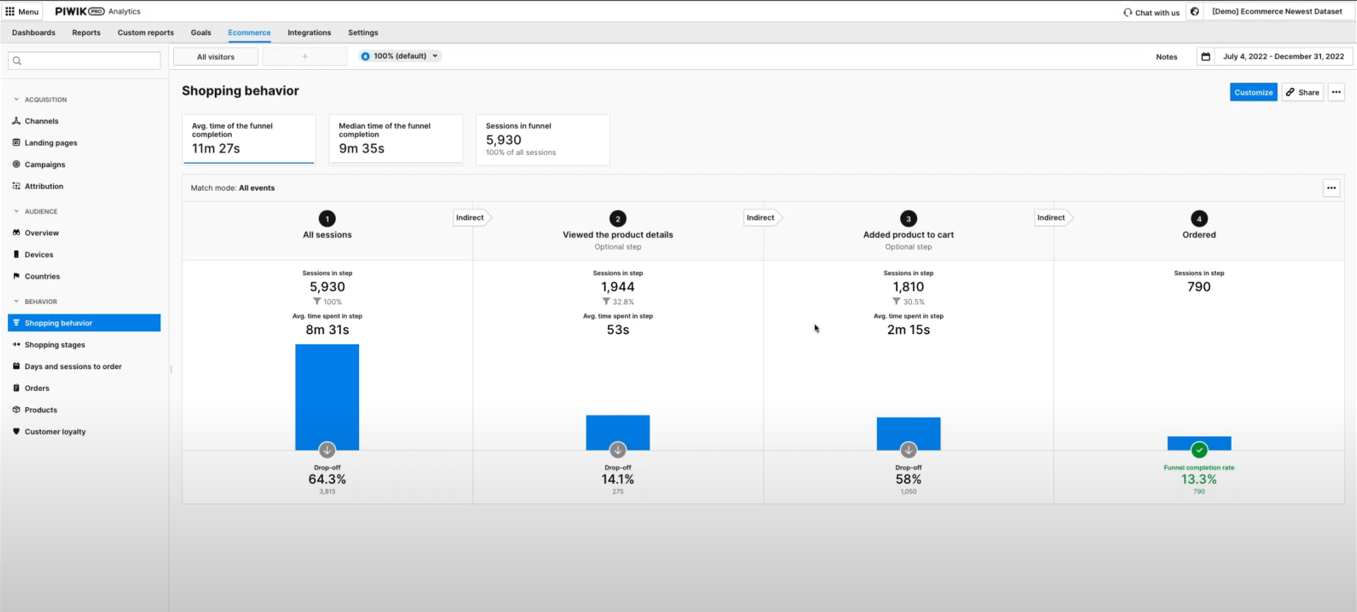
Focus on analyzing the number of users who drop off at each step. To benchmark, you can compare the current numbers with results from the previous period.
For example, you may discover that many people leave after adding a product to their cart. You should then investigate the reasons for the increased cart abandonments.
For that purpose, evaluate the pages users visit before abandoning their carts. If they abandon their carts while on the checkout page, it may indicate the page is difficult to navigate or lacks usability.
You can dig deeper into the checkout process by analyzing a sample funnel report showing the checkout steps:
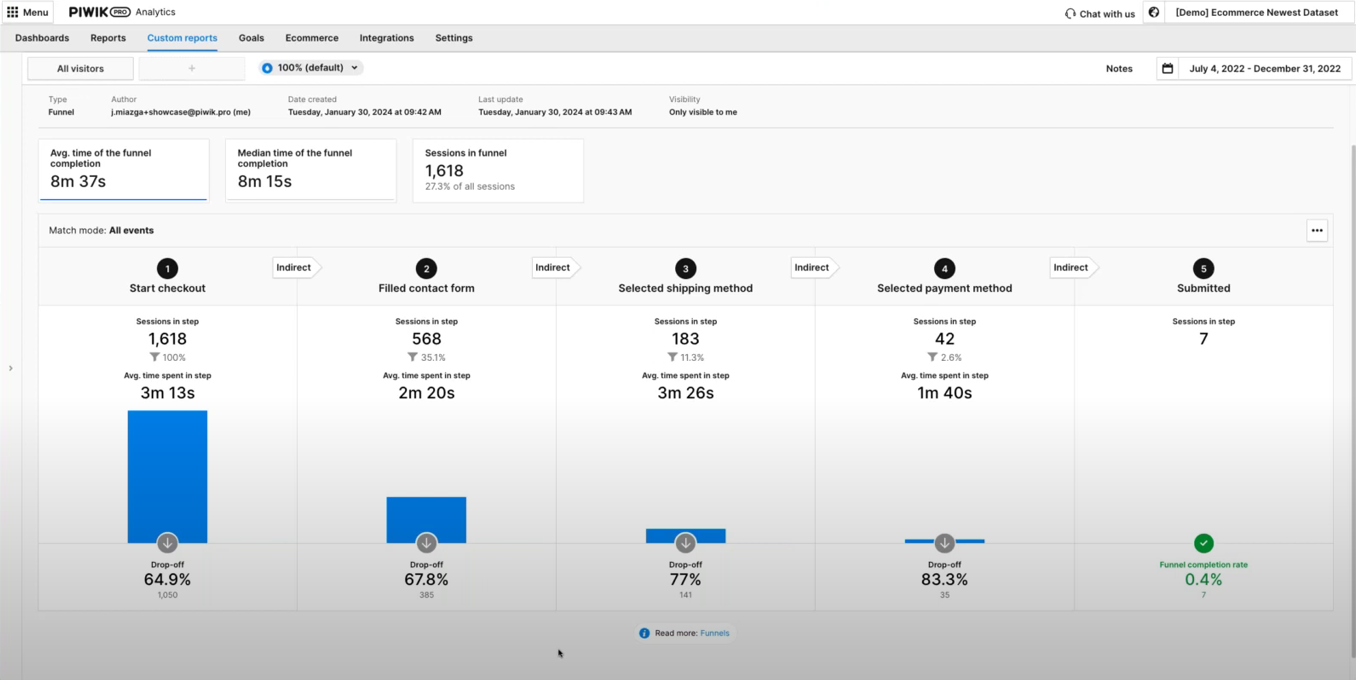
This will allow you to analyze the drop-off points and learn which ones create friction.
Additionally, you can optimize your product pages.
One point of your analysis could be checking the number of product detail views and order-to-detail rates.
For example, a product page that gets a high number of product detail views and a low order-to-detail rate indicates an issue. Analyze your heatmaps to determine what users view on the page, where they scroll, and other aspects of their behavior.
When analyzing the performance of product pages, you should also consider internal search. See what phrases people look for and whether they correspond with any of your products.

WEBINAR
Piwik PRO for ecommerce:
Get data-driven insights to boost your online sales
Watch the webinar recording and learn how to use Piwik PRO Analytics Suite to improve user experience, optimize product pages, and drive more sales.
Experts opinion
Jude Onyejekwe
Marketing Analytics Specialist at Heddy and Hopp, co-founder of DumbData
Ecommerce businesses face a number of challenges in analytics:
- The lack of proper planning and documentation concerning data collection and its purpose
This oversight can lead to a disconnect among the implementation team, marketing, stakeholders, and analysts. As a result, data may not be collected or communicated effectively to other collaborators who require this information.
To address it, involve stakeholders who need the data early in the process. Planning and documenting what data is collected (spreadsheets can be good for a start) will help facilitate collaboration and more effective data utilization across different business units.
- Knowledge gaps and CMS limitations
The types of user actions in the purchase journey that can be measured vary significantly across different CMS platforms. Additionally, the website’s data layer structure can differ markedly from one site to another, complicating data collection, which can be challenging without sufficient domain knowledge. Limitations in tracking user actions on checkout pages due to security concerns are also challenges in this category.
To solve this issue, it’s essential to identify these challenges and limitations inherent in the CMS. Engaging the right experts or resources is crucial to ensure proper data collection as users move through the purchase funnel and interact with your business.
- Silos in the user journey
Ecommerce businesses that have the capability for users to make purchases both on and off their websites, such as in physical stores or via social commerce platforms like Meta, end up having silos in the user journey and can pose significant challenges in collecting data on purchases made outside the website.
The key to addressing this challenge is determining what is feasible and utilizing available resources to integrate data on non-website purchases into your analytics tools. This approach helps create a more unified view of customer interactions and purchase behaviors across all platforms.
How to use data activation in ecommerce
Effective data activation for an ecommerce business requires the right tools. Customer data platforms (CDPs) allow you to integrate data from your CRM, email software, marketing automation tools, analytics, etc. For example, you can import offline conversions from your physical store. On the other hand, you can activate the audience segments using different tools in your stack, such as ad networks, marketing automation platforms, and A/B tools.
There is a range of goals you can achieve through data activation, such as:
- You can increase your revenue by:
- Offering free shipping to first-time customers.
- Providing product recommendations based on products or services that users show interest in.
- Crafting unique purchasing journeys for different customer segments based on their shared traits.
- You can personalize the customer experience by:
- Retargeting users with ads they are most likely to respond to.
- Showing personalized content to users based on the content they’ve consumed.
- Sending customized email campaigns based on users’ purchase history.
- You can improve customer retention by:
- Uncovering customers who haven’t purchased in a while.
- Recognizing potential cross-selling and upselling opportunities using data about previous behaviors and purchases.
- Retargeting users who abandoned their carts.
Since a customer data platform utilizes first-party data, you can control where the data comes from and what happens with it. This helps you better align with privacy regulations.
Privacy compliance in ecommerce analytics
Safeguarding customers’ data and respecting their privacy has become a new standard. The emphasis on privacy and security stems from the growing number of data privacy regulations, higher consumer awareness, and increasing enforcement of regulations.
Ecommerce compliance means adhering to the rules governing ecommerce activities in the markets you sell in. These include but are not limited to ecommerce regulations per se, data privacy regulations, online payment standards, accessibility norms, and the avoidance of dark patterns.
Ecommerce privacy regulations
The focal point of data privacy regulations is processing personal data and protecting consumers’ privacy online. Since your ecommerce regularly deals with all kinds of personal data, understanding and complying with applicable laws is a must. Check what regulations apply to your business, whether laws affecting specific countries, like German TTDSG/TDDDG or French CNIL’s guidelines, or laws with a broader application, such as GDPR, the Digital Services Act (DSA) or the ePrivacy directive.
Privacy-oriented technological changes
The ecommerce landscape is also being affected by technological shifts. The most notable event is the end of retargeting ad campaigns as we know them due to the deprecation of third-party cookies.
To adjust to privacy-facing technological changes, take the following steps:
- Choose privacy-conscious tech providers that build their tools according to privacy by design and privacy by default principles.
- Ensure the tools you use offer features that allow you to respect visitors’ choices or to anonymize data.
- If you run a business in the EU, consider choosing EU-owned and -based tech platforms.
- Prioritize first-party data sources, which means collecting data using your own sources.
Check out our blog post on privacy compliance in ecommerce for an overview of the most important upcoming laws and technological changes.
Experts opinion
Tim Ceuppens
Freelance Digital Marketer
You collect an abundance of data but how should you use it? For example, do you need to see the details of products that are being added to the cart, or is it enough to learn that a specific channel brings more add-to-carts than others? Most companies lack the scale to get accuracy on highly precise data. If I had to choose between these two, I’d always go for accuracy over precision. Think if you’re able to act on this information. If you can’t, or if it takes too long to get a meaningful sample, choose lower granularity.
With GDPR and cookie banners comes a different challenge: Is the data you’re seeing representative of what is happening? Here are two scenarios: One user clicks on a Meta ad, and another one clicks on a Google Search ad. You’ll find that people who are higher in the funnel tend to default more towards clicking the “don’t allow any cookies” option of the banner. People who are lower in the funnel or previous customers tend to select the “allow all cookies” option. In this case, you will be underreporting Meta visitors and overreporting Google visitors. You won’t be able to stitch all of these sessions together to see what contributed to a purchase in a multi-touch funnel.
A major issue with Google’s Consent Mode is that you can’t extrapolate based on what you didn’t measure. Marketers risk turning down channels that are seeding purchases later in the cycle. Back in the day, we solved it by measuring various channels differently. So, we evaluated a higher funnel channel based on how many add-to-carts we saw, and a lower funnel channel based on revenue and purchases. We did this session by session, instead of user by user, to learn whether each session led to a desired outcome. If it didn’t, we analyzed where it went wrong.
Another challenge is making all of this data understandable and relatable to non-data-minded colleagues. I try to make my dashboards and visualizations simple enough for a five-year-old to understand what’s going right and wrong. Complexity only adds more breaking points to advice that usually already needs buy-in from more than one department. You should show the highlights and have the numbers as a backup when asked for. A correct answer, badly given, pushes you off track and forces you to expend energy you could have used for other things.
Best practices for ecommerce analytics
Below we’ve prepared some tips for getting your ecommerce analytics right.
Take a holistic approach to the customer journey
The concept of a holistic customer journey highlights the complex and diverse ways customers engage with brands. You should view different metrics as components of a bigger picture.
Your goals in ecommerce analytics should be to:
- Reduce friction points along the customer journey.
- Increase the customer’s motivation to buy.
You can achieve these by offering a straightforward user experience and helping people complete their selected tasks.
Respond to the expectations of online shoppers
Understanding why people shop online instead of going to a physical store can help you dedicate resources to the most critical areas of your business.
For example, users appreciate online shopping for:
- Being able to shop anytime – Make sure your website and app work seamlessly on different devices.
- Being able to find their product quickly – Ensure the journey to purchasing a product is smooth and quick. Adjust your purchase process to remove any unnecessary or complicated steps.
- Being able to choose from a wide range of products – Find out what products are the most popular with your visitors and which ones they are looking for. See how to adjust your offer to let them buy more of what they need.
Define your KPIs
Defining and tracking the right KPIs is crucial to your ecommerce analytics strategy. Marketers should establish performance indicators specific to every step of the customer journey and evaluate the success of their activities based on these metrics.
For example:
- In the consideration stage, you want to learn more about user behavior and observe patterns to plan improvements and get more sales. Consequently, your KPIs here could include engagement rate, bounce rate, returning visitors, and cart abandonment rate.
- In the purchase stage, you want to convert more users into buyers. Hence you may track metrics such as orders by new vs. returning customers, average order value by channel, revenue by product, and customer lifetime value (CLV).
To learn more about tracking the right KPIs, check out our blog post: KPIs for ecommerce: Maximizing funnel performance.
Integrate the components of your analytics stack
Integrating your data lets you work on accurate, in-depth data sets and apply the insights you’ve gained to benefit your business. You’ll gain a comprehensive understanding of your customers and take action to drive more sales, improve customer retention, and optimize your store to provide a better user experience.
With an integrated analytics platform, you can connect ecommerce data from all your sources with analytics data and make it available to different teams. When choosing the right platform, ensure it meets your teams’ needs, doesn’t strain your resources, and offers a scalable solution that can grow with your business.
Join the dots between your customers and the data
Marketing tools often provide excessive amounts of data – don’t fall into the trap of gathering as much data as possible. You need to have a purpose for every piece of data you collect. Data becomes valuable when you correlate the numbers with your customers. Looking at data in isolation can lead to errors by obscuring the bigger picture.
Adjust data for seasonality and other trends
Analytics lets you uncover trends, identify patterns and discover seasonality. It allows you to better understand your business’s current performance and how it can potentially look in the future. This, in turn, lets you make more accurate business forecasts that can inform your future actions.
Monitor your product performance over time
Tracking product category and individual product performance over time will enable you to discover your biggest revenue drivers and what you should invest in. It’s a great place to begin if you want to find out what products are performing well and which aren’t doing as well as anticipated.
Ecommerce marketing: How to get enhanced online store analytics
Check out our masterclass and learn how to go beyond ecommerce analytics with Piwik PRO to act on customer insights and drive more sales.
Conclusion
Ecommerce businesses deal with uniquely large volumes of data. However, many truths are the same for organizations in all industries that rely on analytics. Specifically, the road to success is paved with understanding which data points are essential and using that knowledge to continuously improve customer experience.
Interested in learning how Piwik PRO Analytics Suite can help your ecommerce business surface valuable insights?
The post What is ecommerce analytics and how can you use it to grow your business appeared first on Piwik PRO.
]]>The post Implement your data privacy strategy with Piwik PRO Analytics Suite appeared first on Piwik PRO.
]]>Siobhan Solberg, a privacy consultant and the founder of Raze, takes a look at implementing privacy-focused data collection strategies. She explains how privacy by design works and how to use it to your advantage when planning analytics setups.
Let’s dive into this topic and discover the key tips for defining a privacy strategy in Piwik PRO Analytics Suite.
How to create a strategy in a world with less data
Having a clear data strategy becomes even more crucial in a world with less data. Now that we are faced with limited information for decision-making and strategic planning, organizations are getting less sophisticated insights. A data strategy outlines the processes and objectives behind data usage within the company, helps align data initiatives with business goals, and ensures data governance processes are in place.
But how do you create a strategy in a world with less data? Our experts offer a few tips on doing it the right way.
- Align your data privacy strategy with your business strategy: Aligning strategies ensures that data initiatives contribute directly to achieving business goals and delivering value. By integrating the data strategy with the business strategy, companies can boost ongoing innovation and adapt to changing market conditions.
- Incorporate change management: Companies should expect improvements and adjustments over time and incorporate these changes into their data strategy. This approach ensures that data initiatives remain relevant and effective amid evolving business requirements.
- Define roles and alignment: Roles should be assigned based on the specific needs outlined in the data strategy, ensuring that responsibilities are clear and aligned with data governance principles.
- Integrate privacy and security: Depending on the organization’s focus, privacy measures may be incorporated into the data strategy or fall under data governance. Addressing privacy concerns is essential to maintaining customer trust and complying with regulatory requirements.
- Focus on data governance: Data governance involves defining policies, procedures, and responsibilities for data management to ensure data quality, integrity, and security. By establishing robust data governance frameworks, organizations can maximize the value derived from available data while mitigating risks associated with its usage.
When you’re thinking from a data strategy perspective, you should start by considering data protection and privacy. Once you’ve developed that, you can create a data governance policy and processes related to it, using the data strategy as the baseline.
Siobhan Solberg, Privacy consultant and the founder of Raze
Obstacles to overcome while designing data privacy strategy
Designing privacy setups without a proper strategy can lead to many problems for companies. When privacy measures are set up without a coherent approach, they grow without management. And finding someone who fully understands the setup becomes challenging. This lack of control can result in unchecked data collection, processing, and storage practices.
Such non-strategic setups often originate from ad-hoc decisions made by different teams using various tools and methods, resulting in inconsistencies across departments. Without a deliberate privacy strategy, companies face challenges in tracking and understanding data practices, hindering transparency.
Companies can overlook some critical security considerations, exposing sensitive data to breaches and unauthorized access. Also, compliance with data protection laws like GDPR can become uncertain, which may result in legal liabilities and penalties.
In the worst-case scenario, companies realize the severity of their setup issues only after a breach or investigation, necessitating costly and time-consuming remediation efforts. When employees struggle with complicated data-handling processes, operational inefficiencies can increase. Privacy breaches can also damage a company’s reputation and impact customer loyalty, investor confidence, and brand perception.
What is privacy by design
Another concept our experts brought up is privacy by design (PbD). It’s a framework that embeds privacy and data protection principles into the design and operation of systems, processes, and products from the outset. Privacy by design is a value-based system that integrates privacy and data protection into every organization’s operations. It ensures that privacy permeates the organization’s processes and systems, reflecting the company’s and its customers’ values.
Adopting privacy by design implies that respecting privacy lies at the core of company values. By choosing this framework, organizations signal their commitment to making privacy an integral part of their culture. With principles that serve as guidelines for shaping data strategy, companies can assess and align data practices with privacy and data protection goals.
Implementing privacy by design principles involves translating abstract concepts into concrete actions. Organizations can develop subsets or guidelines for each principle, detailing their application to data management and processing practices. Once established, companies can include these principles within daily business activities, integrating PbD considerations into decision-making processes, system design, product development, and data-handling procedures.
A data privacy strategy helps a lot in aligning people and putting them on the same page. Nothing really happens in one room with one or two people – it basically happens within the company. So talk to each other, figure things out, come to an understanding.
Timo Dechau, Founder, Tracking & Analytics Engineer at deepskydata
Define a data privacy strategy in Piwik PRO Analytics Suite
Creating an effective data privacy strategy using Piwik PRO Analytics Suite requires a structured approach that considers various key factors. Timo and Siobhan used their expertise to provide useful advice for making the most of our analytics platform.
Identify data
Identifying the specific data necessary for achieving your business goals is crucial. This involves engaging relevant marketing, sales, and data management teams to comprehensively understand their requirements and align objectives accordingly.
Balance data collection
Assessing whether additional data points align with user experience is essential to ensuring that data collection practices enhance rather than hinder user interaction. Striking a balance between collecting necessary data for objectives and additional data that improves user experience or supports future strategies is equally important.
Analyze the data
Each data point should be carefully analyzed to understand its contribution to specific use cases or objectives, such as personalization efforts or enhancing conversion rates.
Collaborate across teams
Collaboration with data management and security teams is critical to ensuring compliance with regulations and mitigating breaches. This applies to actively involving these teams in decision-making processes and implementing measures to safeguard data privacy and security.
Prepare documentation
Documenting the cause behind data collection decisions is necessary for clarity and transparency, ensuring companies understand how data practices align with overarching business objectives.
Gain actionable insights
Companies should shift their focus from vanity metrics to actionable insights directly impacting conversions, user experience, and marketing effectiveness.
Ensure compliant data collection with Piwik PRO
By systematically implementing the above steps and leveraging the features offered by Piwik PRO Analytics Suite, companies can develop a robust data privacy strategy that effectively balances regulatory compliance, user experience, and business objectives. Our analytics platform adheres to multiple privacy laws. With continual monitoring and optimization of data collection practices, you can be sure that your strategy aligns with regulations, user expectations, and business objectives.
Piwik PRO allows you to effectively implement your data privacy strategy, fostering trust and compliance in your data handling processes.
Watch the full episode and get all the tips on implementing a data privacy strategy with Piwik PRO
The post Implement your data privacy strategy with Piwik PRO Analytics Suite appeared first on Piwik PRO.
]]>The post Activate data for a personalized customer experience with the Piwik PRO Customer Data Platform appeared first on Piwik PRO.
]]>Arpit Choudhury, data strategy expert and CEO at databeats and Glenn Vanderlinden, co-founder at Human37, explain how to activate data with the Piwik PRO customer data platform (CDP) to drive actions and campaigns that lead to meaningful insights, improved experiences, and business growth. Their advice proves that data activation is an essential component of data-driven decision-making in organizations.
Let’s discover the key tips our experts recommend to build personalized customer experiences.
What is data activation
Data activation refers to leveraging collected data to generate actionable insights and drive specific outcomes within an organization. This process involves transforming raw data into valuable insights and using them to make informed decisions, improve operational efficiency, enhance customer experiences, or drive business growth. It is a critical component of a data-driven organization, enabling it to unlock the full potential of its data assets and drive meaningful business outcomes.
Activation is not just about moving data – it’s about running experiments with it or doing anything else where you’re personalizing user experience. But also, it’s not just about personalization. You’re using the data to offer a better experience to the user. And that’s what data activation is.
Arpit Choudhury, data strategy expert and CEO at databeats
Data activation entails:
- Running tests or campaigns: Activation involves using data to conduct real-time experiments or campaigns, leveraging data analysis insights to inform decision-making and drive actions.
- Building audiences: It can also involve building audience segments based on data properties and events – an initial step for targeted activations or personalized experiences.
- Improving customer experience: Data activation aims to improve customer experiences by implementing changes, such as optimizing a website’s elements, adjusting product filters, or personalizing user experience.
- Deriving insights: Activation is also about deriving more insights from data. By activating data through experiments or campaigns, organizations can gain deeper insights into user behavior, preferences, and the effectiveness of different strategies.
- Repetitive processes: Data activation is an iterative process where insights gained from previous activations inform future actions and experiments, creating a continuous improvement cycle.
- Holistic approach: Activation encompasses various stages, including data collection, analysis, insight generation, experiments, and measurement of outcomes. It involves cross-functional collaboration processes to leverage data for organizational growth and improvement.
What are the main obstacles to data activation
There are a few obstacles that may occur while activating data. Addressing them requires strategic planning, investment in resources and infrastructure, cross-team collaboration, and a clear understanding of the goals and outcomes of data activation efforts.
One of the challenges is the perception of the value of data analytics and the difficulty in quantifying the return on investment (ROI). Some organizations may struggle to allocate a budget for analytics, preferring to invest in other areas where ROI is more immediately apparent.
Also, many organizations need to invest more in building a solid foundation for data, which includes collecting the right data, ensuring its quality, and making it available for activation. There may be a misunderstanding of what activation entails. It’s not just about moving data, but also about running experiments or campaigns using it to provide a better customer experience.
Measuring the outcomes of data activation efforts is crucial to determine if they have improved customer experience or led to growth. This requires cross-team collaboration and a solid setup for measuring outcomes. Teams may need more support, including resources, tools, and expertise. Effective data activation and measuring its impact can be challenging without adequate assets.
While revenue growth is significant, it’s also essential to consider other outcomes of data activation, such as increased efficiency or higher customer satisfaction. Focusing only on revenue may overlook other valuable aspects of your business.
Finally, it’s important to remember that data activation isn’t just about acquiring new users – it’s also about ensuring that existing customers continue to use and derive value from the product or service. This requires ongoing engagement strategies informed by data.
Activate your data with the customer data platform from Piwik PRO
Our experts gave a step-by-step guide on how to activate data with Piwik PRO. By following these rules, you can make the most out of the collected data, which means targeting specific audiences and customizing their experiences based on their behavior and preferences.
Piwik PRO allows you to create an audience and use it as a trigger – it’s a powerful feature. In other platforms, you have to do a lot of work to configure the specific data layer. Here, a UI lets you do it, which is a mega plus.
Glenn Vanderlinden, co-founder at Human37
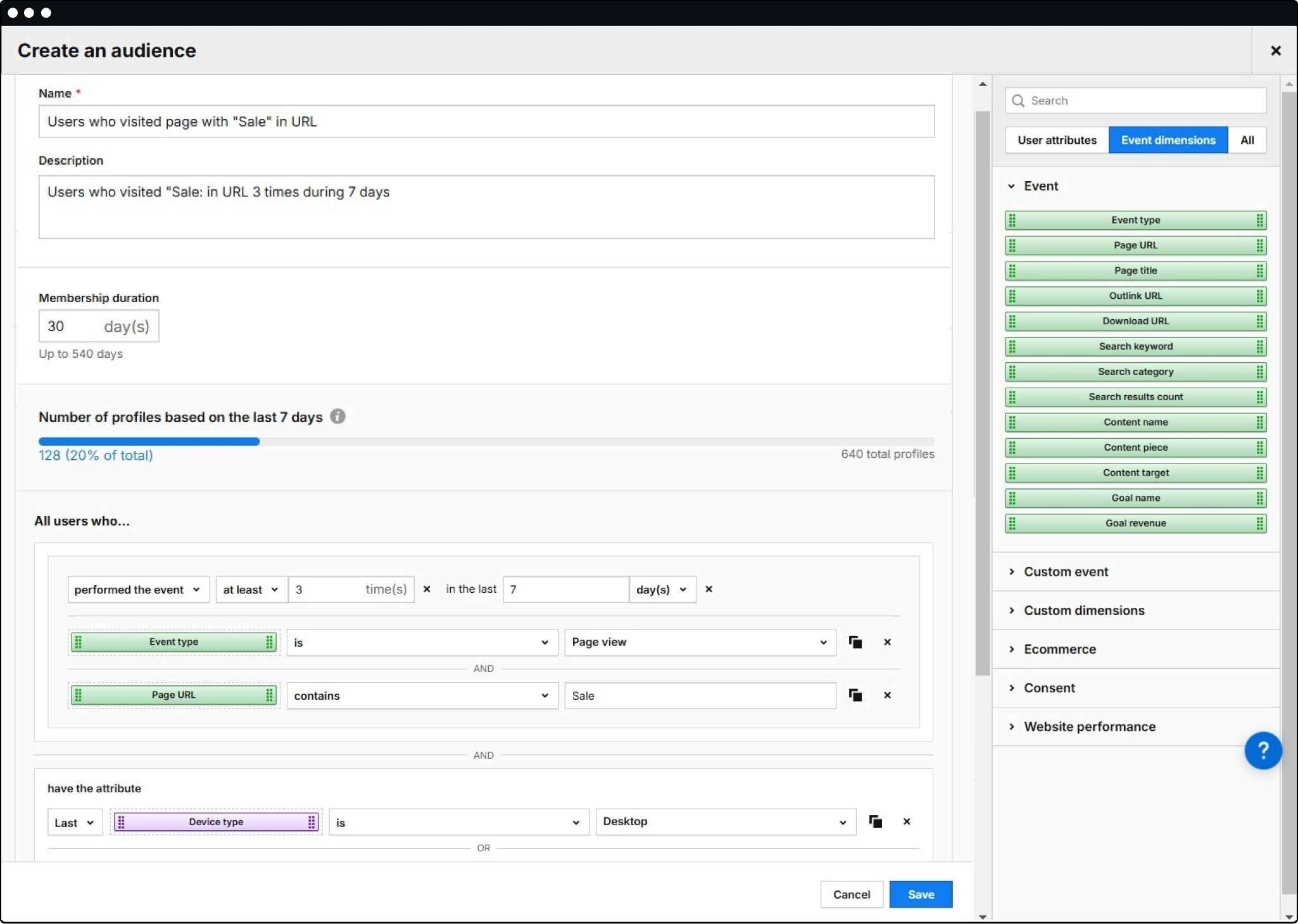
Define the audience
Start by defining the audience you want to target for activation and define the needed criteria. Create rules to filter users based on their behavior, such as page titles containing specific keywords. Optionally, you can set up exclusion criteria to exclude particular users.
Implement triggers
Set up triggers to detect when users meet the criteria defined for the audience. Triggers can be based on user behavior, such as visiting specific pages or engaging with certain content.
Manage consent
Ensure that data collection and activation processes comply with relevant privacy regulations by incorporating consent management. Associate data collection and activation with appropriate consent categories, such as personalization or marketing automation, depending on how the data will be used.
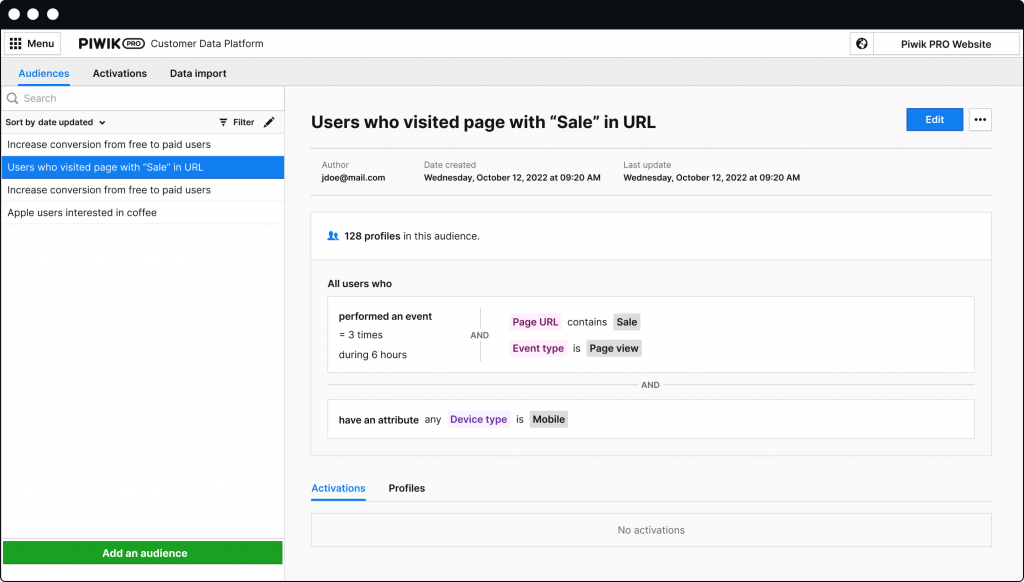
Customize user experience
Use JavaScript code to customize the user experience based on the defined audience. For example, add a navigation item for users who meet the audience criteria.
Track performance
Implement tracking mechanisms to monitor the performance of the activation strategy. This could include tracking impressions and click-through rates (CTR) for the customized user experience elements.
Test and iterate
Test the implementation in a controlled environment to ensure everything works as expected. Continuously monitor and analyze the data to refine audience definitions and activation strategies based on insights gathered from performance metrics.
Enrich your audience data with Piwik PRO
Enriching your audience with Piwik PRO involves a strategic approach that integrates various components to optimize data activation while prioritizing privacy and compliance. You can extend data activation possibilities to numerous destinations through webhooks and automation tools, such as CRM platforms, email marketing tools, and ad platforms.
For more details about activating data, read our articles:
- What is data activation and how does it fit into your data analytics stack
- Customer Data Platform: Generate meaningful insights with customer data activation and import
- 8 customer data platform (CDP) use cases that will drive your business growth
Watch the full episode and learn how to activate data with Piwik PRO CDP
The post Activate data for a personalized customer experience with the Piwik PRO Customer Data Platform appeared first on Piwik PRO.
]]>The post Explore the benefits of ecommerce analytics with Piwik PRO Analytics Suite appeared first on Piwik PRO.
]]>Juliana Jackson, a technical marketing expert, explains how advanced analytics features can help make better business decisions and strengthen sales growth. She emphasizes that while the purchase funnel is vital for generating revenue, it merely scratches the surface. To truly flourish, companies must benefit from the holistic customer journey.
Let’s discover our expert’s key tips for improving your ecommerce analytics.
The complete Piwik PRO Shopify app playbook
Tap into advanced analytics and a built-in customer data platform (CDP) to improve your Shopify store’s performance. This playbook offers actionable strategies, real-world examples, and step-by-step instructions to help you grow your business while staying compliant with global privacy laws.
Understand your customer journey
As the traditional linear funnel approach to customer journey is being challenged, the concept of a holistic customer journey sheds light on the complex and diverse ways customers engage with brands. It emphasizes the need for a multifaceted approach to measure their behavior.
A holistic customer journey is the first step before we do any analysis. It’s not just saying how many clicks it needs for someone to convert on a website, but it’s about looking at the whole picture.
Timo Dechau, Founder of deepskydata
One of the main focuses of this holistic perspective is an emphasis on the early awareness metric. Time spent on a website becomes a crucial indicator of engagement, challenging the conventional funnel. Page engagement metrics take center stage in unraveling the user’s journey, helping identify where the purchasing process typically begins, whether on category pages, product pages, or elsewhere. Also, all metrics should be revised to tell a meaningful story instead of just being numbers on a dashboard.
The holistic customer journey involves asking fundamental business questions:
- How do users find the website? Through campaigns, organic search, or paid search?
- How long do they spend on the website? An average engagement time of 1 to 3 minutes may indicate their intent to explore the page further or make a purchase.
Understanding users’ initial actions on the website and identifying the most engaging pages provides insights into what content users find interesting. Knowing where the purchasing journey starts becomes instrumental in shaping strategies to enhance user experience and drive conversions.
A nice aspect of the ecommerce funnel is knowing what pages people viewed until they moved further because it gives you a bit more context. You want to understand what content they engage with on your website before they ultimately make the purchasing decision.
Juliana Jackson, Technical marketing expert
A closer look at the three steps of the customer journey (ability, motivation, and friction) makes it evident that the success of your ecommerce analytics relies on simultaneously reducing friction points and increasing the customer’s motivation. This three-step approach extends the relevance beyond the traditional sales funnel into the broader customer journey landscape. Navigating this landscape requires understanding metrics and embracing the complexity and diversity inherent in the modern customer’s digital journey.
Currency conversion
With Piwik PRO’s new Currency Conversions feature, businesses can unify revenue data from multiple currencies into a single standard currency. This consolidation ensures accurate financial analysis across diverse markets, enhancing understanding global customer behavior. Learn more in our article.
Custom ecommerce metrics and reports in Piwik PRO Analytics Suite
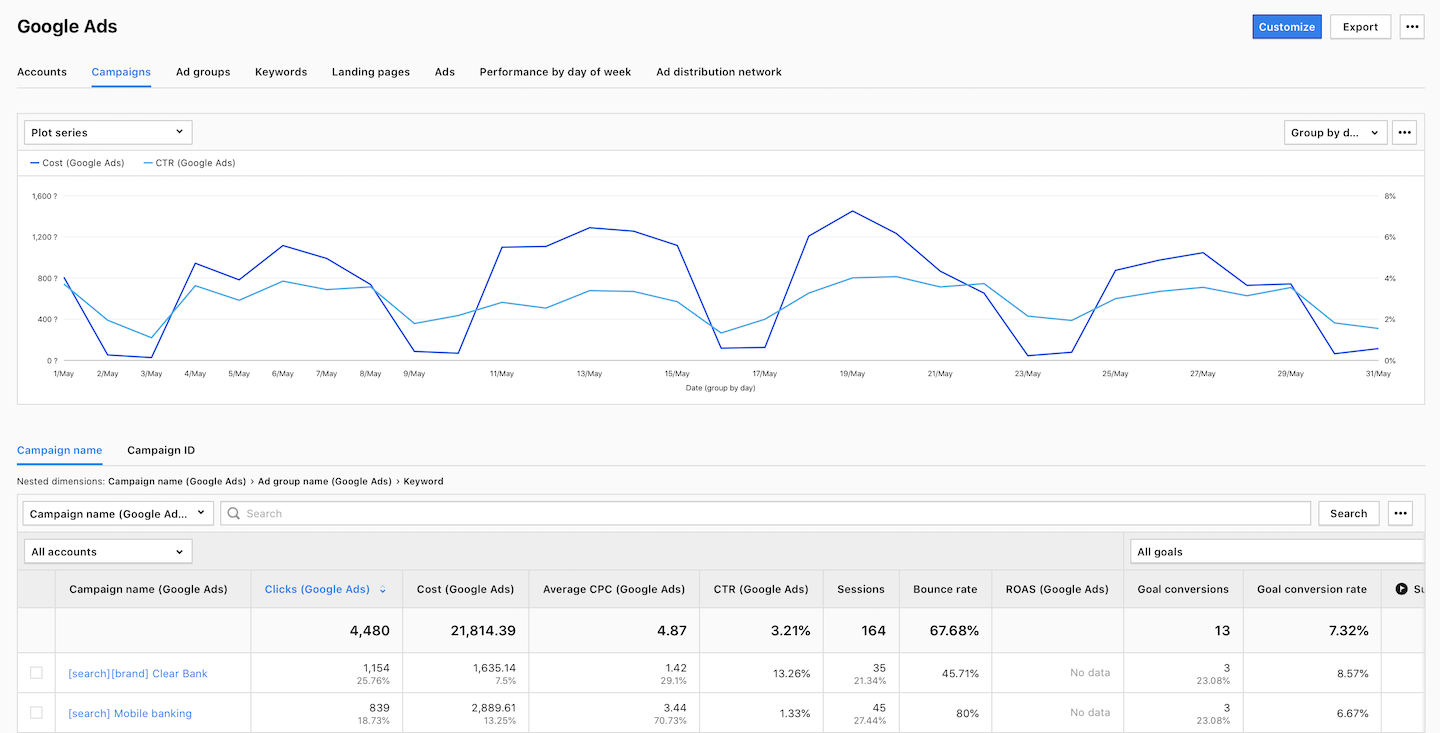
Adjusting metrics to meet specific business needs requires a more personalized approach. Critical thinking and simplicity in ecommerce analytics are essential elements in the fast-paced ecommerce landscape. The introduction of calculated metrics, such as average order value (AOV), demonstrates the adaptability offered by tools like Piwik PRO Analytics Suite. In our analytics platform, creating custom metrics involves selecting relevant parameters and defining aggregation methods, providing businesses with a customized approach to data analysis.
The exploration of the customer journey, segmented into awareness, consideration, and intent stages, highlights key metrics such as sessions, visitors, average engagement time, and click-through rates (CTR). Piwik PRO’s versatility is showcased through diverse applications, from calculating the cost per lead (CPL) for Google Ads campaigns to accommodating commissions for partner referrals.
The role of attribution in ecommerce analytics
Attribution is the backbone of understanding customer journeys in ecommerce analytics that decodes the complex path from awareness to conversion.
Let’s take such a scenario. A potential customer interacts with a Facebook ad, explores the online store, and leaves without making a purchase. Later, they return via a Google search, clicking on the brand name and eventually converting. The dilemma arises when both Facebook and Google claim credit for the same revenue, leading to potential double-counting.
This is where the concept of attribution steps in, providing a centralized system to make informed decisions. Different attribution models are used depending on how revenue is distributed among touchpoints. The first-click scenario, for instance, attributes the entire revenue to the first touchpoint, while other models distribute it based on a combination of first and last clicks.
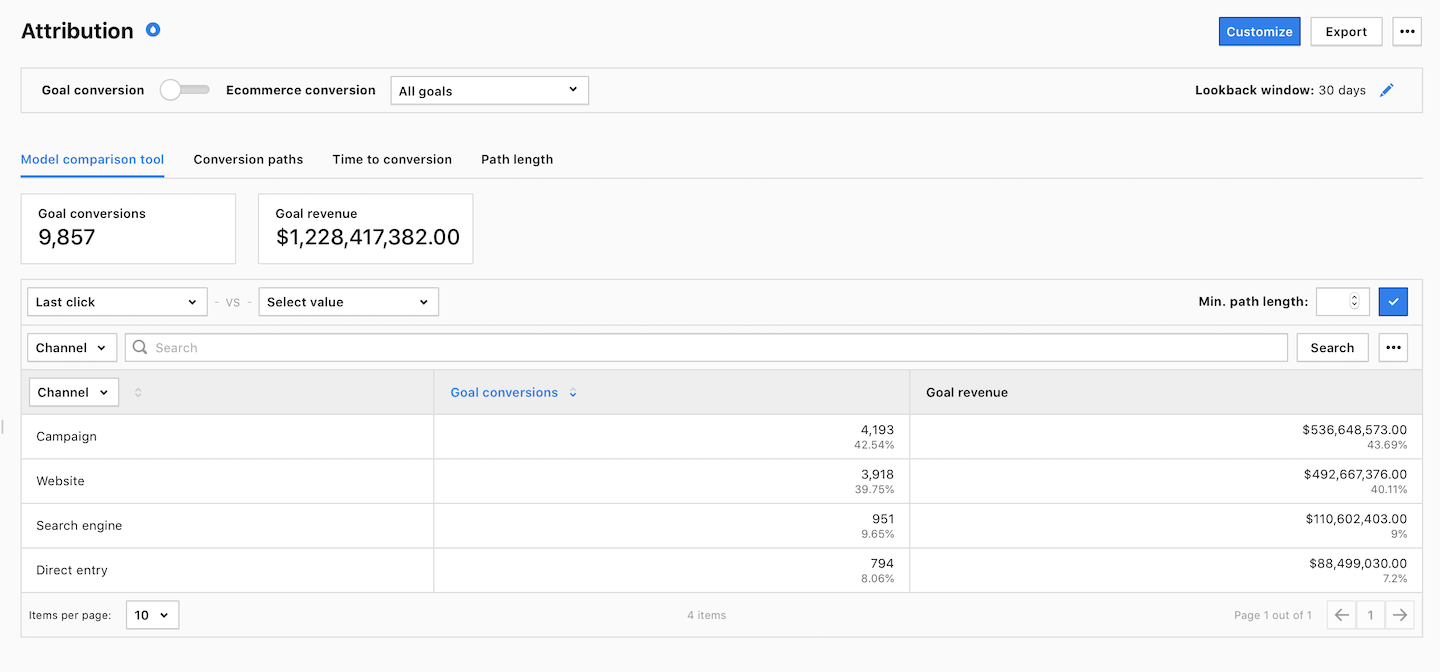
The availability of multiple attribution models adds a layer of flexibility. The ability to choose models based on specific business needs empowers businesses to tailor their attribution approach, considering factors like the importance of the first or last touchpoint in the customer journey.
Despite its imperfections, attribution is considered a significant achievement, making it accessible to a broader audience. Businesses can utilize attribution reports not just for revenue allocation but as a tool for understanding the impact of touchpoints on diverse conversion paths.
Unlock the power of your Shopify store with Piwik PRO
Drive smarter decisions with Piwik PRO’s Shopify app. Track customer behavior, product interactions, and sales performance with ease, without the hassle.
The app simplifies setup, ensures GDPR-compliant data collection, and integrates seamlessly with your Shopify store. Gain valuable insights that help you optimize your ecommerce business and stay ahead of the competition.
Benefits of collaboration between marketing and product teams
Another game-changer in ecommerce analytics is a balanced collaboration between marketing and product teams. Its core lies in both teams’ ability to analyze data signals and comprehend customer behavior.
The example of tailoring reports for the product team is the importance of actionable insights. Key elements such as product pages, cart abandonment, and product performance over time become focal points, empowering the product team with tailored analytics.
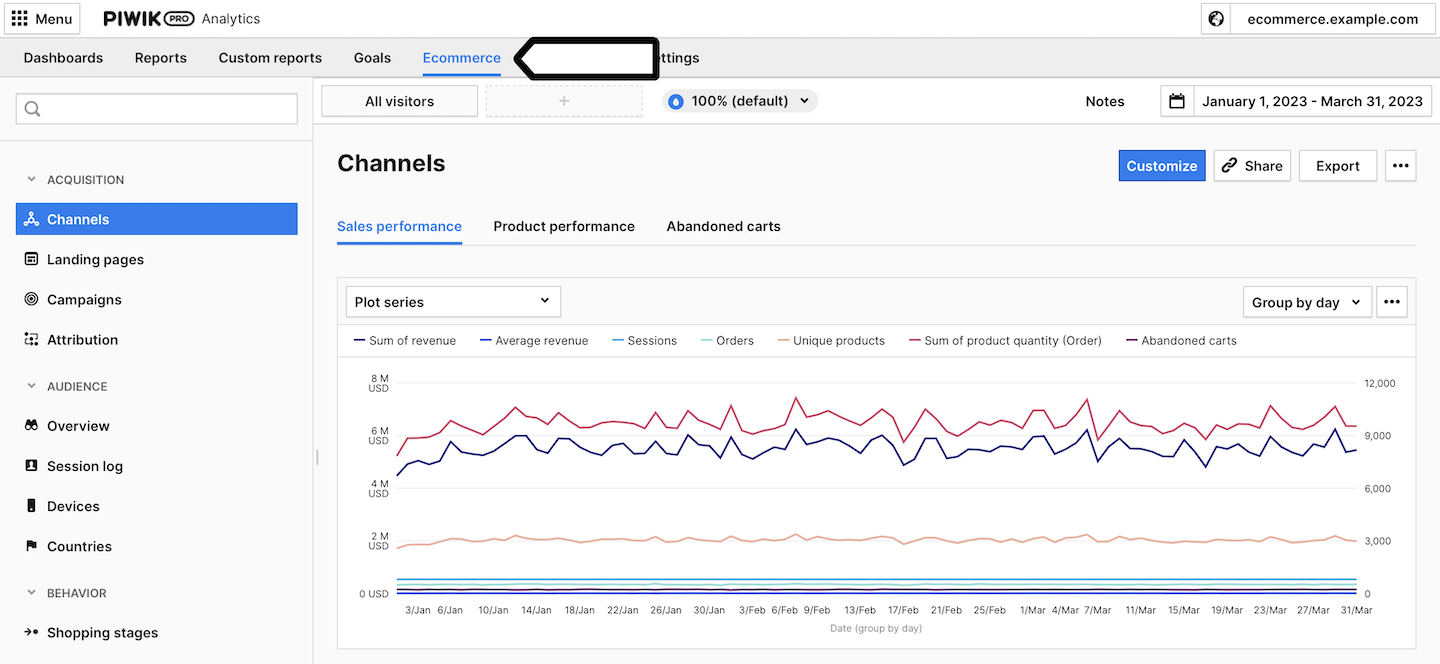
As for marketing teams, creating customized reports using an explorer table is crucial in showcasing the flexibility and ease of customization. The ability to dive into channels and metrics offers marketing teams a comprehensive view of their efforts. Metrics like average and median session time are highlighted for their significance in understanding user behavior and identifying anomalies in data tracking setups.
Custom metrics are essential to successful collaboration between marketing and product teams. They give both teams control over the metrics and dimensions that most matter to them, emerging as powerful tools for informed decision-making and navigating the complexities of ecommerce analytics effectively.
Timo Dechau, Founder of deepskydata
A holistic customer journey is the key to effective ecommerce analytics
Businesses should move beyond generic analytics tools for their ecommerce analytics, focusing on critical thinking, simplicity, and the adaptability of tools like Piwik PRO. Custom metrics emerge as a powerful resource, offering businesses actionable insights and a deeper understanding of their unique customer journeys.
For more details into ecommerce analytics in Piwik PRO Analytics Suite, watch the full episode of our masterclass
The post Explore the benefits of ecommerce analytics with Piwik PRO Analytics Suite appeared first on Piwik PRO.
]]>The post What is first-party data and how does it benefit your marketing appeared first on Piwik PRO.
]]>From the 2022 report by Acquia, 88% of marketers say that first-party data is more important to organizations than ever. It is a beneficial asset, providing insights to create more targeted and personalized campaigns, enhance customer relationships, and improve overall marketing effectiveness. Moreover, using first-party data responsibly helps build customer trust and is an important step in achieving compliance with relevant privacy regulations.
From our article, you’ll learn how to effectively collect and use first-party data to create better marketing strategies while complying with privacy regulations. We’ll also introduce you to zero-party data, which is becoming a new big thing in the data collection field.
Types of customer data and how to make the most of them
Customer data can be collected through various methods, each with its own characteristics and implications. Selecting the appropriate data collection method depends on research objectives, the nature of the data needed, and practical considerations such as cost and accessibility. Combining multiple methods might provide a more comprehensive understanding of customer behavior and preferences.
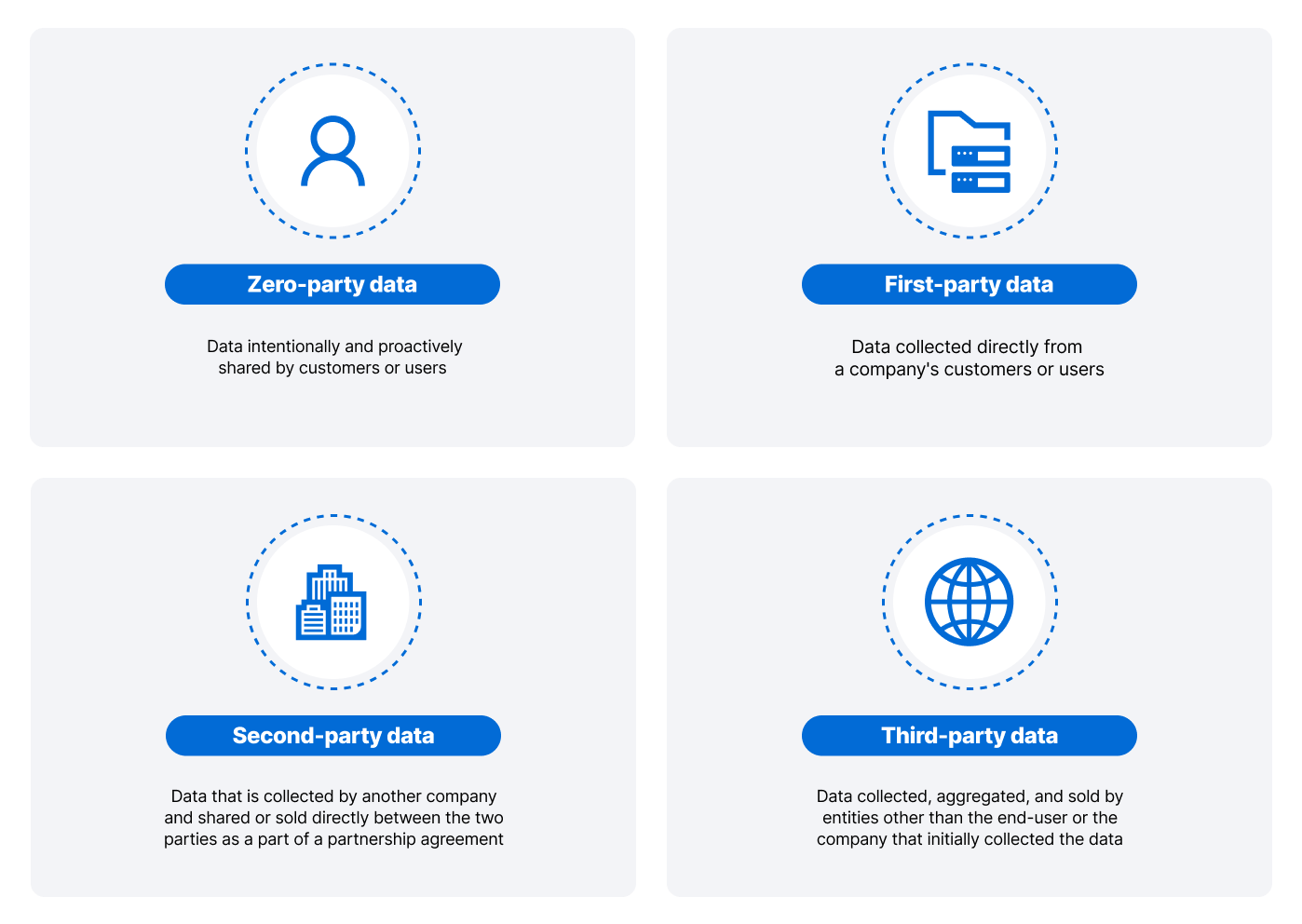
Let’s look at different data types.
First-party data
Data gathered directly from a company’s customers or users is known as first-party data. It is obtained through various interactions between the company and its audience.
Types of first-party data that companies collect include:
- Website or app interactions from web analytics, user registrations, and online behavior.
- Transactional data, such as purchase history and order details.
- Customer feedback from surveys, reviews, and feedback forms.
- Data related to customer interactions stored and managed in customer relationship management (CRM) platforms.
Customers provide their data directly to the company, which means a higher level of trust both ways – customers share the data willingly, and companies know it’s an insightful asset. Additionally, first-party data tends to be more accurate than other types of data, which may come from sources whose reliability is more difficult to evaluate.
Collecting and using first-party data requires companies to adhere to privacy regulations and obtain proper user consent. Data privacy laws such as the General Data Protection Regulation (GDPR) or the California Consumer Privacy Act (CCPA) regulate how companies use and handle personal information.
In a report by Deloitte, 73% of respondents believe that using first-party data would mitigate the impact of the rise of privacy awareness.
How to collect first-party data
Implementing an analytics platform on your website enhances the ability to track user behavior and extract valuable insights. You can analyze metrics such as page views, bounce rates, time on site, and user demographics. By employing event tracking, you can also examine specific interactions, including button clicks, downloads, and form submissions.
Encouraging users to register or create accounts on your website allows gathering information like names, email addresses and preferences during the registration process. You can then utilize the data from registered users to create personalized experiences and execute targeted marketing campaigns.
Incorporating newsletter sign-up forms on your website lets you capture user information, especially email addresses. By leveraging newsletter subscriptions, you can build a database of engaged users and facilitate targeted communication. You can also collect user data through contact forms. You can enhance your marketing efforts by adding fields requesting pertinent details such as names, email addresses, and other valuable information.
Creating surveys or feedback forms is a direct method of obtaining insights from website visitors. You can ask questions regarding user preferences, satisfaction levels, and other relevant topics and provide incentives to encourage user feedback.
For websites with an ecommerce component, the main focus should be leveraging data by collecting details on purchased products, order frequency, and average order value. This information allows for more personalized product recommendations that encourage users to make more informed shopping decisions.
Integrating social media platforms with your website facilitates accumulating data on social interactions. You should monitor social shares, likes, and comments associated with your content and utilize social media analytics tools to gather additional insights.
Implementing tools that track user behavior, such as heatmaps and session recordings, enables the analysis of user navigation patterns, dwell times, and interactive elements. You can make use of this data to optimize the user experience and tailor your content accordingly.
Utilizing cookies to collect information about user preferences and behavior necessitates the implementation of a cookie consent mechanism in compliance with privacy regulations. The data gathered during the process can be used to personalize content and advertisements.
Defining custom events and goals within your analytics platform allows for tracking specific user interactions. Actions such as video views, form submissions, and button clicks help you gain deeper insights into user engagement and optimize your website to extract the most out of your paid traffic. Also, it’s essential to perfect the UI so visitors won’t get lost on the website, which can increase conversion.
Tools for first-party data collection
Various tools help businesses collect first-party data across different channels and touchpoints. The choice of tools depends on the specific needs of the company and the nature of interactions with customers.
Here are some popular tools used for collecting first-party data:
- Analytics platforms: Piwik PRO Analytics Suite, Google Analytics
- CRM software: Hubspot, Salesforce
- Tag managers: Piwik PRO Tag Manager, Matomo Tag Manager
- Customer data platforms: Piwik PRO Customer Data Platform, Tealium
- Online surveys: Mailchimp, SurveyMonkey
- Customer feedback platforms: Trustpilot, Reviews.io
Second-party data
Second-party data refers to another company’s first-party data that is shared or sold directly between the two parties. In this data-sharing arrangement, both parties exchange the data with mutual consent. This type of data sharing often occurs through trusted partnerships, collaborations, or direct agreements between companies.
The exchange of second-party data relies on high trust between the two parties. Both organizations should know that the shared data is accurate, relevant, and obtained with proper consent from the individuals involved.
Since second-party data originates from another company’s first-party data, it is often considered to be of higher quality and accuracy than third-party data from external sources.
How to collect second-party data
Second-party data is obtained through direct collaboration or partnerships. Here are common sources of second-party data:
- Data exchange platforms (DEPs): Snowflake Data Marketplace, AWS Data Exchange
- Customer data platforms (CDPs): Segment, Tealium AudienceStream
- Application programming interfaces (APIs): REST APIs, GraphQL
- Data management platforms (DMPs): Adobe Audience Manager, Lotame
- Data governance platforms (DGPs): Collibra, Alation
Third-party data
Third-party data refers to information collected, aggregated, and sold by entities other than the one that initially collected the data and the end user. In digital marketing and data analytics, third-party data is often obtained from external sources and can include a wide range of demographic, behavioral, and interest-based data about individuals. This data is typically gathered by data brokers, aggregators, or other third-party organizations that specialize in collecting and selling data.
Data from third parties can differ in quality and accuracy. Since it is collected from external sources, its freshness, relevance, and completeness may be questionable.
Using third-party data raises various privacy concerns. Organizations must adhere to data protection regulations when acquiring, storing, and using such data, which is much more challenging to achieve than in the case of first-party data. Individuals may not be aware that third parties are collecting their data and what specific information they have access to.
Also, there are concerns about third-party data in programmatic advertising. GDPR mandates user consent for data collection, impacting the creation of third-party cookies. Mozilla Firefox and Apple Safari have implemented features like intelligent tracking prevention (ITP) and enhanced tracking protection (ETP) to block third-party cookies by default. Google Chrome was initially planning to phase out third-party cookies by 2022 but extended the timeline to the second half of 2024, aiming for a balance between user privacy and maintaining an ad-supported web. Safari and Firefox block third-party cookies by default, offering users enhanced privacy.
As of July 22, 2024, Google announced it will not deprecate third-party cookies in Chrome. Instead, Google has now said it’s going to let users decide whether they will be tracked by cookies. However, given the web’s ongoing transition towards privacy-focused technologies, third-party cookies are likely to continue declining in importance.
How to collect third-party data
Third-party data comes in various types and is sourced from a wide range of providers, such as:
- Data brokers specializing in collecting, aggregating, and selling various data types.
- Websites that collect and share data generated by user interactions on their platforms.
- Market research companies that conduct research studies and surveys to gather data on consumer behaviors, preferences, and trends.
- Social media platforms that gather user-generated data, including profiles, interests, and social interactions.
- Location-based services that obtain location data from users’ devices, such as GPS apps, mapping services, and location-based apps.
- Surveys and panel providers that conduct surveys or maintain panels of individuals for data collection purposes.
- Ecommerce platforms that collect and store data on customer transactions, preferences, and behaviors.
Zero-party data – valuable insight into customers’ preferences
Zero-party data refers to information intentionally and proactively shared by individuals with a company or organization. Unlike first-party data, which is observed or collected through implicit actions, the customers provide zero-party data themselves. This type of data is willingly shared by users, often in the form of preferences, intentions, or personal information. This makes zero-party data highly valuable for businesses.
The collection of zero-party data is built on trust and transparency. Companies are expected to clearly notify how the data will be used and give individuals control over their information.
How to collect zero-party data
Companies can gain access to zero-party data by:
- Asking customers about their preferences for product features, content types, or communication frequency.
- Gathering information provided in surveys or questionnaires designed to understand customer opinions, needs, or feedback.
- Acquiring user-generated content, such as reviews, ratings, and comments, which can offer insights into their experiences.
- Focusing on opt-in choices related to newsletters, promotions, or other marketing communications.
- Collecting information provided to tailor the user experience, such as website and content preferences or notification settings.
Which type of customer data is the better choice?
First-party and zero-party data are generally considered more valuable than the other types of data because they are based on direct interactions and explicit consent, which aligns with privacy regulations.
Second-party data, while similar to first-party data, involves data-sharing and collaboration between trusted partners. However, the partner must still obtain customer consent, so collecting customer data is generally quite secure.
Third-party data, on the other hand, is much less reliable and may raise privacy concerns, as it is often collected without the knowledge or consent of the individuals involved.
If you want your company to prioritize customers’ privacy and trust, you should focus on first-party data collection, supplemented by zero-party data. It’s a more valuable source of information and a privacy-compliant way to better understand your customers.
Experts opinion
Jan Sørensen
“When used responsibly, first-party data can help maintain customer relationships by providing valuable insights into their behavior. It allows for more personalized and highly tailored campaigns, enhancing engagement and satisfaction. Also, such data improves the relevance of content and offers, which leads to optimized marketing strategies.”
How to use first-party data to improve your marketing strategy
Leveraging first-party data is crucial for improving marketing strategy. Here are several ways you can do that.
Personalized marketing
First and foremost, you can use first-party data to create highly personalized marketing campaigns.
To do this successfully, you can, for example:
- Organize first-party data in a centralized customer relationship management (CRM) system to facilitate accessibility and analysis.
- Segment audiences based on shared characteristics, enabling the creation of detailed buyer personas that represent ideal customers. Subsequently, it can be used to craft individualized email campaigns, provide tailored recommendations, or incorporate dynamic website content, such as dynamic forms, adaptive menus, real-time social media feeds, or user-specific notifications.
- Offer exclusive discounts or promotions aligned with customer behavior to further enhance personalization.
- Use social media marketing to create targeted content for specific customer segments.
- Obtain consent and ensure privacy compliance when using customer data.
- Regularly monitor and analyze the results of personalized marketing efforts, including engagement and conversion rates. This lets you continuously refine strategies, ultimately improving customer satisfaction and loyalty.
In Piwik PRO Analytics Suite, when a visitor explores content related to a specific topic on our website during one visit, we collect data about this behavior to make the whole experience more personalized. The number of topics a visitor is interested in can be increased with every visit and tailored based on what the visitor viewed in the past and what they viewed most recently. Upon a visitor’s return, we enhance the experience by proactively suggesting currently trending content that aligns with their interests.
Additionally, we can offer relevant upgrades and products to visitors when they are logged in and when they are not, thanks to first-party data sharing between Analytics and CDP. The recommendations can be sent through tailored emails, customized website content, or both, highlighting the benefits based on the specific features they are missing or seeking.
Segmentation and targeting
Harnessing first-party data for segmentation and targeting involves a systematic approach to understanding and categorizing your audience based on directly collected information.
To begin, you should define key criteria for segmentation, such as age, location, and buying behavior, and analyze the data to identify patterns. Then, you can create distinct customer segments, each with its detailed buyer persona, incorporating unique attributes and behaviors.
Such data can help tailor marketing messages, including personalized email campaigns, customized website content, and dynamic ad campaigns, to address each segment’s needs and interests. Also, it can be used to develop offers and promotions aligned with the preferences of each group.
Thanks to first-party data, companies can continuously optimize segmentation strategies based on evolving customer behavior and market dynamics.
With Piwik PRO Analytics Suite we can leverage first-party data collected on our website through remarketing, employing customer segmentation to identify specific actions. We segment our audience based on their behavior on the website by assigning specific tags, updating them, and ensuring that their actions are up-to-date. Then, we can send relevant content to a particular audience using email platforms.
Customer retention
A comprehensive dataset that includes customer purchase history, preferences, and interactions is crucial for practical customer retention efforts. Data analysis can help discern patterns and better understand customer behavior to strengthen relationships with existing customers.
You can use first-party data for customer retention by:
- Implementing targeted email campaigns that recognize past purchases, offer exclusive promotions, and deliver relevant content tailored to individual preferences.
- Anticipating customer needs and providing suggestions for products or services aligned with their previous choices.
- Creating loyalty programs and personalized incentives to reward and retain valued customers.
- Regularly assessing customer feedback and satisfaction data, promptly addressing concerns to enhance the overall customer experience.
If a user has registered but remained inactive for a specified period or is a returning visitor on the website but has not been logged in, Piwik PRO Analytics Suite can re-engage them. This is achieved by sending content they are interested in, personalized discounts, or triggering email prompts to encourage them to explore our platform’s latest offerings and updates.
Cross- and upselling
Using first-party data for cross-selling and upselling involves a strategic approach to adjusting recommendations based on customer preferences and interactions. By aggregating comprehensive customer profiles, businesses can segment their customer base according to buying behavior.
Analyzing first-party data helps identify natural cross-selling opportunities, enabling the recommendation of related products or services that complement previous purchases. Tailored upselling offers are crafted by understanding the customer’s spending patterns and interests and presenting premium or upgraded options that add value to their selections. Also, strategic bundling of products, personalized email campaigns, and dynamic website content further enhance the effectiveness of cross-selling and upselling efforts.
Optimizing ad and email marketing campaigns
Data collection can be used to craft ad and email campaigns targeting specific customer segments with messaging that addresses individual interests.
There are various ways to optimize marketing campaigns, such as:
- Showcasing products or services based on customers’ interactions for dynamic content and recommendations in ads and emails.
- Sending timely and relevant messages using behavioral triggers, such as abandoned carts or previous purchases.
- Encouraging engagement and conversions with customized offers and discounts based on past behavior.
- Cohesive customer experience through cross-channel consistency and A/B testing.
Additionally, segment-specific landing pages and customer feedback integration contribute to refining and enhancing the effectiveness of marketing efforts. Also, it’s essential to follow privacy regulations and obtain explicit consent, which shows the importance of transparency and fostering trust with customers.
Product and service optimization
Optimization is a strategic process to refine offerings based on customer data insights. By collecting detailed first-party data, you can understand experiences and expectations, identifying recurring themes and areas for improvement. Then, you can evaluate customer usage patterns and behaviors to pinpoint features that resonate or areas that may need enhancement.
With that data, you can:
- Personalize offerings according to individual preferences, recommend related products and anticipate future needs through predictive analytics.
- Implement iterative testing and improvement strategies based on insights gained, including A/B testing, refining user interfaces, and tweaking service delivery processes.
- Optimize customer journeys, roll out updates and features aligned with data insights, and enhance customer support services by proactively addressing common issues.
- Evaluate pricing strategies and benchmark against competitors to ensure competitiveness.
- Continually refine and adapt products and services in response to shifting customer needs and market dynamics.
In Piwik PRO Analytics Suite, when a visitor downloads a specific type of content, we can automatically assign the relevant salesperson. The key benefit of this feature is relevance. We can contact the prospect immediately during the consideration phase before it’s too late. That positively affects the impression of our brand, product, or service.
The mechanism operates as follows:
- We create an audience in our CDP.
- We set up conditions for sales-qualified lead (SQL) classification, such as visiting the pricing page twice in the last few days and downloading specific content by providing an email.
- Once the specified conditions are met, a notification is sent automatically to assign a salesperson to the SQL based on the received data.
- The designated salesperson contacts the prospect via Microsoft Teams or Slack, facilitating a streamlined and targeted engagement process.
Improved user experience
You can also utilize first-party data to elevate the user experience of your website or app. It can be valuable in personalizing website content, offering customized recommendations for products and services and streamlining the customer journey.
The insights derived from first-party data enhance interactions’ relevance and contribute to smoother user navigation. Furthermore, first-party data can improve customer support services by comprehensively understanding customer histories and preferences.
Thanks to such knowledge, customer support teams can provide more personalized and efficient interactions, delivering targeted solutions that align with the unique needs of each user. Integrating first-party data into your strategy empowers you to create a user-centric digital environment, fostering satisfaction, engagement, and long-term loyalty.
Increase user acquisition
Effective user acquisition strategies can be more precise and impactful thanks to the strategic utilization of first-party data. Businesses can create targeted campaigns by identifying and attracting similar audiences through studying the characteristics of their existing customers.
This approach increases the efficiency of user acquisition efforts and enhances the likelihood of reaching individuals who share key traits with the established customer base. In essence, by harnessing first-party data, businesses can refine and optimize their user acquisition strategies for greater precision and success in expanding their customer reach.
In Piwik PRO Analytics Suite, when visitors explore the website focusing on specific content, we customize their experience by presenting a dedicated page. For example, when a visitor is interested in HIPAA-related content, we automatically assume a US-based visitor from the healthcare sector. That’s when our tag can dynamically prepare a landing page with pricing, showcasing the logos of clients who decided on the analytics solution based on its compliance with HIPAA regulations.
This approach offers the benefit of automatically tailoring landing pages based on diverse audience criteria, increasing the chances of choosing our offering based on visitor behavior and recent interest, and providing a personalized touch to the website experience.
A/B testing
Finally, businesses can conduct meaningful experiments using insights from A/B testing and optimization strategies. This data-driven approach allows for informed decision-making, helping to identify which elements contribute to enhanced engagement and conversion rates.
In essence, by incorporating first-party data into the A/B testing process, businesses can iteratively tailor their offerings and messaging to align more closely with the preferences and behaviors of their diverse customer base.
Experts opinion
Simon Westphall Pansch
“GDPR is here to stay, and marketing’s new frontier is in first-party data. Even if we ignore legal risks when we advise our clients on data solutions, we must still consider business risks – and not owning data or not using platforms that guarantee access to historical data is an unacceptable risk. No data-driven business strategy can succeed with constant data resets.”
Data collection and privacy – where are we heading
The intersection of first-party data and privacy is a critical and evolving landscape shaped by technological advancements, regulatory changes, and changing consumer expectations. Countries and regions worldwide are implementing and strengthening privacy regulations to give individuals more control over their personal data and require businesses to handle data responsibly.
Read more about privacy regulations: 17 new privacy laws around the world and how they’ll affect your analytics
Consumers are also gaining higher awareness of data privacy issues spurred by high-profile data breaches, scandals, and increased media coverage. Verizon’s data breach investigation report stated that human error, social engineering attacks, or data misuse caused 74% of breaches.
As a result, customers are more aware of how their data is collected, used, and shared. They are also more interested in businesses that are transparent about their data practices and provide options for controlling their personal information. According to Razorfish, nearly two-thirds of US consumers stated that a company’s transparency about how they plan to use personal data increases their trust. Over half of respondents said a company would be more likely to gain their trust if it didn’t unnecessarily collect personal data.
Businesses are recognizing the value of zero-party data that customers willingly and proactively share. This shift involves obtaining explicit consent and building trust by allowing users to provide information on their terms.
Another crucial aspect is the increasing development and adoption of privacy-enhancing technologies (PETs). They include tools and techniques that allow data analysis without compromising individual privacy, such as federated learning, secure multi-party computation, or differential privacy. Businesses are exploring different methods to de-identify or anonymize data to protect individual privacy while still gaining valuable insights. This involves stripping personally identifiable information (PII) from datasets.
Some of the most popular data anonymization methods include:
- Pseudonymization, where identifying data is replaced with a pseudonym or token.
- Deleting direct and indirect identifiers.
- Data masking, which involves replacing data within a set with fictitious data.
- Data aggregation, which presents collected data as aggregated values with no attributes attached. This is the only truly irreversible method.
Moreover, businesses are investing in more sophisticated consent management systems to obtain and manage user consent for data collection and processing. It includes providing users with granular options for what data they are comfortable sharing.
Overall, companies are emphasizing ethical considerations in data collection and usage. This involves ensuring that data is used responsibly and for the benefit of both businesses and consumers. The privacy landscape is dynamic, and businesses must continuously adapt to changes in regulations, technology, and consumer expectations. Staying informed and proactive in addressing privacy concerns is crucial.
To learn about privacy-focused data collection, read our articles:
Taking first-party data to the next level
First-party data offers a privacy-conscious and consumer-centric approach to creating more targeted marketing strategies that contribute to overall growth and success. Businesses prioritizing transparency, user control, and ethical data practices will likely navigate this evolving landscape more successfully.
Piwik PRO Analytics Suite is a flexible analytics platform that helps you easily collect the most valuable first-party data about your customers in a privacy-friendly way. With the gathered information, you can better understand how people interact with your company and use those insights to improve conversions.
Contact us to learn more about our approach to first-party data.
The post What is first-party data and how does it benefit your marketing appeared first on Piwik PRO.
]]>The post 70-point comparison of 7 tag managers appeared first on Piwik PRO.
]]>Tag management solutions track marketing data by embedding tags in websites or apps. They are essential to capture information for web analytics. Digital marketers can use tag managers to track conversions and collect visitor behavior data without the help of developers.
Choosing a tag manager for your organization shouldn’t end with analyzing the extent of features and customization options. Due to the increase in the importance of data governance, your tag manager should also include data privacy and security features.
Learn more about Piwik PRO Tag Manager.
Why do you need a tag management system in the first place?
Tag managers simplify the process of web and mobile tracking for analysts and marketers. They are able to create, edit, and deploy tags in minutes using the available tag, trigger, and variable libraries. Teams get more power and flexibility.
The main benefits of using a tag manager include:
- Saving time and resources by reducing the workload of the IT team.
- The ability to consolidate and standardize the process of updating tags.
- Easily tracking and maintaining large numbers of tags.
- Faster page load times and better site performance.
- Making your marketing activities more efficient.
- Increased data accuracy.
- Being able to easily comply with privacy requirements.
read also
Comparison of 7 tag managers – 70 factors from tag types to privacy
Understand the differences between Piwik PRO Tag Manager, Google Tag Manager, Tealium IQ Tag Management, Segment, TagCommander, Matomo Tag Manager and Ensighten Manage
How to choose the right tag management system
To make your data collection more efficient and secure, you should look for a tag management system with the following characteristics:
Customer Support
Tag managers take care of a lot for you, but at the core, you’re still dealing with complex JavaScript code. It’s helpful if your tag manager has extensive documentation you can use for guidance. Ideally, the tool you choose should have a support team you can reach out to in case of any problems or unknown bugs.
Privacy compliance and data control
Make sure your tag management platform contains advanced privacy-friendly features that will support the collected data’s security and give you enhanced control over it. This can include features like zero-cookie load, safe hosting options, and choosing where your data is stored.
Integrations, libraries, and templates
Extensive libraries, templates, and integrations can save you a lot of time when creating, debugging, and maintaining your tags. Thanks to them, you don’t have to add too many custom tags yourself. Also, it pays to have an easy way to integrate your tag management system with tools such as consent manager or customer data platform.
Read more about how you can use tag managers in web analytics:
A review of tag management vendors
Piwik PRO Tag Manager
Piwik PRO Tag Manager lets you create, set up, debug, and run tags on your website to streamline data collection and activation without the help of developers. You can run online campaigns, integrate with Facebook Ads or Google Ads, and collect additional data. Use a vast library of tag templates, triggers, and variables, or create custom ones. With Piwik PRO, you can also count on complete data control and security – for example, connect Consent Manager to only fire tags with relevant consent.
Google Tag Manager
Google Tag Manager (GTM) is the most widely used tag management system and integrates well with Google’s other tools, such as Google Analytics 4 or Google Ads. GTM is a powerful tool for marketing and analytics teams that facilitates creating, embedding, and updating tags across websites and mobile apps. It offers features like debugging and rules, macros, or automated tag firing, allowing for data standardization and quick deployment.

With Piwik PRO you can use integration with Google Tag Manager to collect data server-side and client-side.
Segment
Segment is predominantly a customer data platform that shares some features and purposes with tag managers. The platform collects and structures the data to be integrated with analytics, advertising, email, marketing automation, CRM tools, and others with minimal effort. Segment can also archive the data, replay historical data into new tools, and send raw data to a data storage solution for later analysis.
Tealium IQ Tag Management
Tealium IQ Tag Management is a system for managing the configuration, testing, and release of third-party vendor tags to digital properties. The platform lets you unify disparate data sources and drive more consistent visitor interactions. Equipped with numerous vendor integrations, you can quickly deploy and manage vendor tags, test new technologies, and take control of your marketing technology stack.
Commanders Act TagCommander
Commanders Act TagCommander is an enterprise tag management solution that simplifies managing and deploying tags. This tool allows you to increase the quality of your implementation, collect data across devices, and use it across channels. Teams can explore unified audiences and send data to other systems for more precise segmentation, targeting, and personalization.
Matomo Tag Manager
Matomo Tag Manager lets you manage and unify all your tracking and marketing tags. You can quickly integrate various features into your site, such as analytics, conversion tracking, newsletter signups, exit pop-ups and surveys, and more. Measure the success of elements of your marketing campaigns and external channels. Matomo’s Tag Manager also makes sure that all snippets are implemented and loaded correctly for faster performance.
Ensighten Manage
Ensighten Manage, recently acquired by CHEQ, is an enterprise tag management solution that focuses on deploying, validating, and updating disparate marketing technologies while unifying customer data across brands, domains, mobile apps, and display advertising tags. All of this exists within a critical layer of security that ensures governance and data privacy. You can also use other Ensighten products, such as Ensighten Mobile, which lets organizations easily tag apps.
Overview of the analyzed features
We divided our comparison into the following sections:
Product overview
We prepared a quick overview of how each tag manager ranks in the most important categories: privacy and security compliance, product capabilities, customer care, hosting options, and customization possibilities. You can see each tool’s strengths and weaknesses and how they compare to each other.
Hosting
This part focuses on the available hosting options. Depending on your technical and legal requirements, cloud hosting may be sufficient, or you might need to choose a more secure solution, such as private cloud or on-premises hosting. It’s also great if your tag management system offers flexible data residency options so you can choose and know precisely where your customers’ data is being stored.
Privacy and compliance
Because tag managers support a range of tag types, they make it much easier to ensure compliance. See what privacy and security functionalities are offered in each tool. Go for a TMS that lets you keep full control over your data and how the tags are used.
Some features we are comparing here include zero-cookie load, firing tags based on the user’s consent, Opt-out or Do Not Track options at the individual tag level, and different privacy modes for session and event tracking.
Integrations
Learn whether the tag managers offer any other modules that can be easily integrated with your system.
A customer data platform adds a ton of value to tag managers. It enables granular, cross-platform data collection, protection of data quality and identity resolution, integration and activation, audience segmentation, and data governance and security.
A consent manager is useful for achieving compliance, especially when managing consents. You can keep track of users’ consent choices and apply them so your tags get fired only after consent is received.
Another crucial aspect is how flexible the TMS is regarding custom integrations and development. Find out if you can add and connect custom integrations to your tool.
Customer support
You should be able to contact customer support for help or onboarding assistance in the way that suits you best. Ensuring your tag management setup works correctly and serves your organization right is essential.
If your company has a simple setup or an internal tech team capable of creating and maintaining your tags, you may do with email or live chat support or access to a help center.
More elaborate tag setups might call for specialized help, such as a dedicated support specialist, personalized implementation, and onboarding or product training.
General tagging features
Various tag features can simplify the process of working with your tag manager. See what the tools offer in terms of tag import and export capabilities, folders for tags, triggers and variables, workspaces for concurrent tagging projects, and changelogs. Other analyzed features include access to API, moderation queue, server-side tagging, test and debug mode, and more.
Tag types
Here we look into the available tag types based on their purposes, as well as tag templates for analytics, remarketing pixels, or A/B testing tools and the option for using tag template libraries. Learn about support for asynchronous and synchronous tags, the ability to add custom tags, pop-ups, and tag templates, content personalization from within the tag manager, and others.
Trigger types
Moving on to triggers, we analyze the options of libraries of triggers and conditions, trigger groups, event trigger templates, and other types of trigger templates. Learn whether the tools include trigger types such as data layer, page view, history change, exit intent, or form submission.
Variable types
In this section, we explore the available types of variables – custom JavaScript, cookie, data layer, DOM element, URL, constant or random number variables, as well as access to built-in variable templates.
Flexibility and limits
Here you can learn if there are any limits to how many tags, custom variables, and user roles and permissions you can add. You can also check whether the tools support two-factor authentication.
Preview of our tag management comparison
Note: We’ve shortened some product names for easier reading. Here are the full names of the products covered:
- Piwik PRO Tag Manager
- Google Tag Manager (360-only features are noted in the table)
- Segment (with Business plan features)
- Tealium IQ Tag Management
- Commanders Act TagCommander
- Matomo Tag Manager
- Ensighten Manage
Product overview
| Piwik PRO | Segment | Tealium | Tag Commander | Matomo | Ensighten Manage | ||
|---|---|---|---|---|---|---|---|
| Privacy and security compliance |  |  | | | | |  |
| Product capabilities | | | | | | | |
| Customer care | | | | | | | |
| Hosting options | | | | | | | |
| Customization | | | | | | | |
Hosting
| On-premises |  | | | | |  | |
| Cloud | | | | | | | |
| Private cloud |  | | | | | | |
| Content delivery network (CDN) | | | | | | | |
| Cloud or private cloud data residency options | | | | | | | |
Privacy and compliance
| Opt-out / Do Not Track option at the individual tag level | | | | | | | |
| Option to enable zero-cookie load | | | | | | | |
| Tags and tag categories fired based on consent status | | | | | | | |
| Several privacy modes for session and event tracking | | | | | | | |
| Option for a built-in consent manager | | | | | | | |
Download the full comparison to see the rest of the features and how the vendors compare to one another:
read also
Comparison of 7 tag managers – 70 factors from tag types to privacy
Understand the differences between Piwik PRO Tag Manager, Google Tag Manager, Tealium IQ Tag Management, Segment, TagCommander, Matomo Tag Manager and Ensighten Manage
The post 70-point comparison of 7 tag managers appeared first on Piwik PRO.
]]>The post Conversion funnel analysis: A step-by-step guide appeared first on Piwik PRO.
]]>Why conversion funnel analysis is important
Using funnel reporting has several benefits. You’ll see the areas of your website or app where you need to make upgrades. Analytics data from funnel reports highlights places and stages of the journey where people often exit pages. That is vital, because it tells you what places you should focus on when revamping your site. While these insights don’t directly tell you what to fix, they provide clues of great value for optimizing your customer’s journey.
Goal setting and funnel building
Setting clear business goals goes hand in hand with creating funnel reports. Depending on the type of company, those goals vary. Maybe you are interested in leveraging your social media or driving product sales. Once you have an idea of what to improve, you design funnels to help you analyze how your current website or app works towards your objectives.
Goal setting
To set up an effective funnel report, first decide on some long-term goals for your business. Possible goals could be to build your online community or to grow business from repeat customers. If one of your goals is to better utilize your social media, then apply a funnel report to measure how many people find your website via your social accounts.
Conversion funnel building
After you’ve established your business goals, brainstorm ways your website or app can help you reach them. When you decide on a path you think your customers take through your website, create funnel reports to find out how people actually navigate it. These reports show individual paths that users take.
Say you want more people to complete the checkout page or to sign up for your company’s newsletter. Thanks to a funnel report, you’ll see how visitors move through pages and where they leave. That information will help you remove obstacles and smoothen the paths for visitors.
From a technical perspective, funnels consist of steps. It’s important to add every part of the journey you analyze so you’re not missing any relevant information. For a website, use as steps events like:
- Button clicks
- Page scroll percentage
- File downloads (e.g., whitepaper, infographic)
- Requesting a demo
When analyzing how visitors use apps, the possible events are:
- Screen views
- Button presses
- Using a particular item (for games)
- Searches
Start your analysis with the focus on pages with high traffic, but also high drop-off rates. These are the areas you’ll want to improve.
Keep in mind, it’s natural to see a drop-off in the number of customers in a funnel. Not everyone who visits your site is going to buy something or complete a transaction. However, funnel reports give you data that enables you to take necessary actions to raise conversions.
Read more about funnel reports in: Funnels based on behavioral segmentation: a little-known way to map the entire customer journey
Now, let’s take a look at different examples of how people navigate your website.
Use case #1: Visitors move from the homepage to the product page, ending in a demo request
You have planned a customer journey with these steps:
- Someone visits your website. On your homepage, they have an overview of your business and services.
- If you’ve captured their attention, they enter the product page to find out more.
- If they like what they see, they request a demo. This is the final step of the conversion you had in mind.
Depending on the outcome you’re interested in, you can choose a different last step. For example, you want the journey to conclude with the visitor making a purchase. Or you have a more complex process, where you break down the demo request into the following steps:
- clicking the request link
- filling out the form
- hitting the submit button
The key is that you have a mapped-out process with multiple steps for measuring progress.
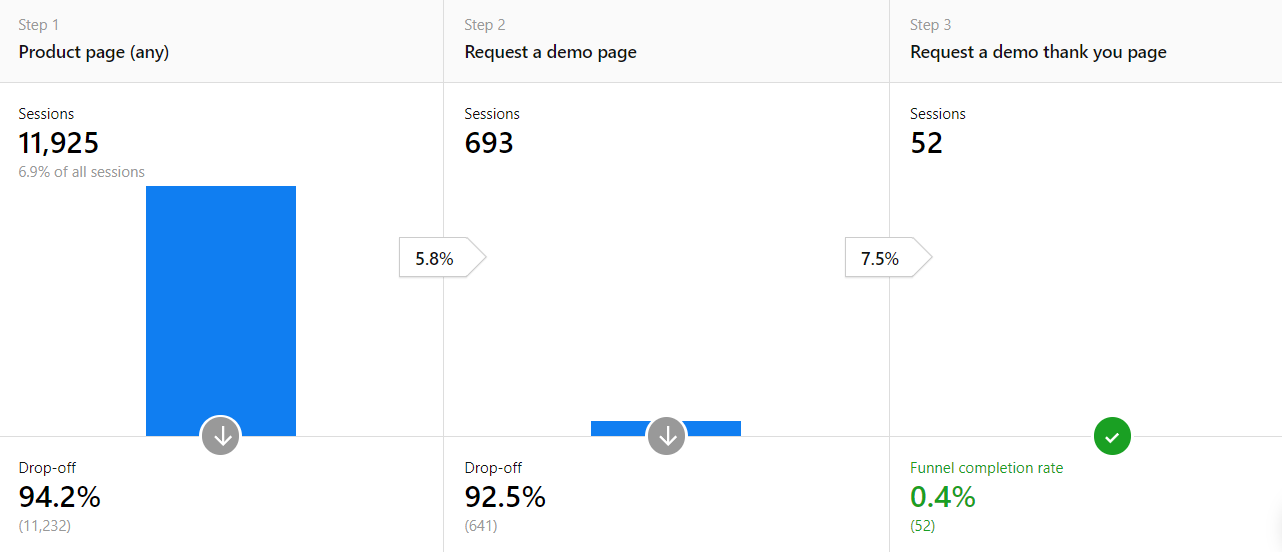
To see if customers followed your planned journey, set each event as a step and consider the structure of your website.
In this example, the first step could be any of your product pages:
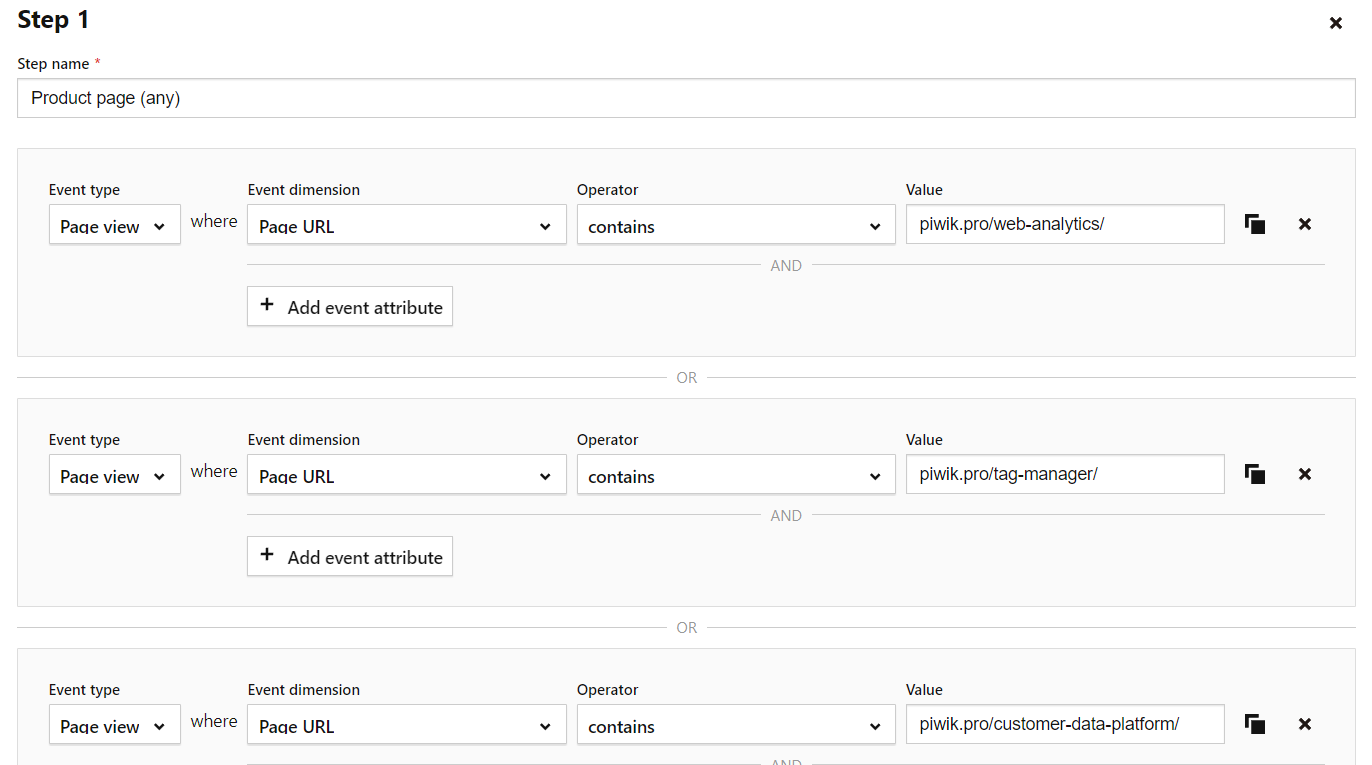
Here, it’s possible to check how many people are going from product pages to a demo request page with a form.
You could also duplicate this report and change the first step to a different part of your website, such as to your homepage or a blog post.
Use case #2: Users submit contact information
In this use case various events, not different URLs, work as steps in the customer’s journey. In addition to different web pages, you’re able to use custom events. Some analytics platforms also use virtual page views to build funnel reports.
For this journey, you’ve designed a landing page with the goal of capturing leads via users submitting their emails or other contact information. Form optimization and funnels make a great match. You can see, field by field, where visitors lose interest and where to make changes. Your steps might look like this:
- A visitor lands on the contact page.
- They click on a button that scrolls them down to the contact form, and they fill out the form.
- After submitting their data, the visitor reaches the thank you page.
That means your goal has been achieved.
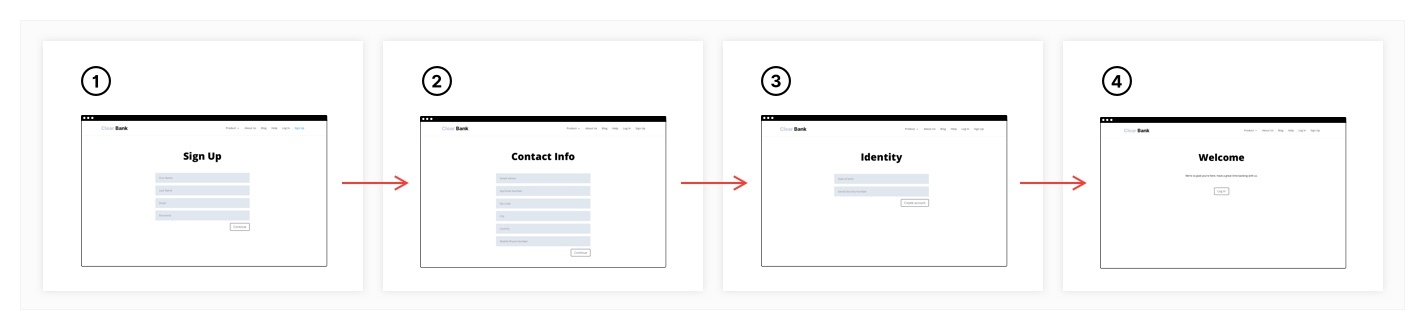
For long forms requiring a lot of information to fill out, divide the fields into multiple pages so you don’t overwhelm the visitor. Then, your funnel’s steps would include reaching the next page(s) and all resulting fields.
Analyze your conversion funnels
After you’ve created your funnel reports, you can spot places with technical or design-related issues. While you won’t know exactly what’s causing visitors to leave a website or abandon their cart, you know which page to look at.
The easiest way to check on those pages is to visit the site yourself to verify if the interface is uncluttered and working properly. For example, check your drop-down menus and buttons for technical problems.
It’s also important to see if the website’s navigation is clear so visitors don’t get stuck. They could be clicking on the wrong part of a page. Using your site to collect information about visitors and their interests is one part of the process, and digging into analytics data is the next step.
To visualize what analyzing funnel data looks like, let’s examine the following case.
Use case #3: Using an online tool with email confirmation
In this use case, we will discuss a scenario of renting a car online.
- The visitor fills in an online form, indicating in which city they’ll pick up the car.
- The second page gives the visitor options, such as different models and the dates available. To register for the car, the visitor must provide an email address.
- The final page is a confirmation that the information about the rental has been sent to the visitor’s inbox.
This way, you visualize the whole process, then check for any potential bottlenecks.
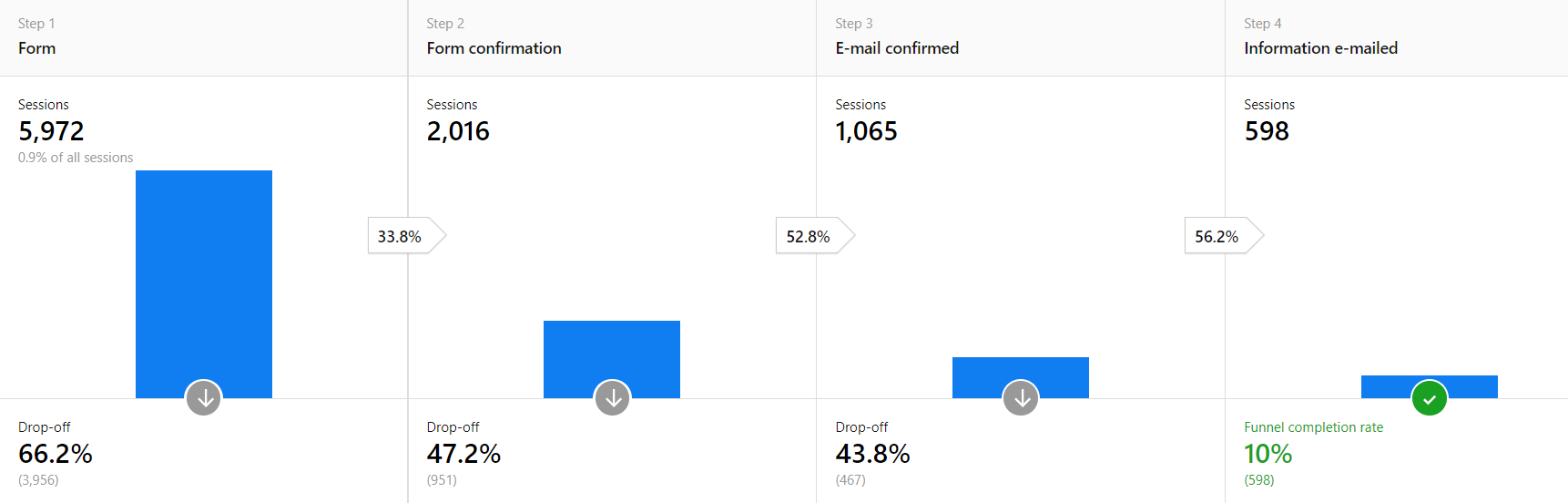
A significant drop-off after the first step is expected. Not everyone is willing to share their contact information.
However, the drop-offs after steps two and three shouldn’t be as high as shown here. If someone’s already filled out the form, most people would finish the process to get the information they want. This funnel report lets you discover places with potential issues.
Once you’ve identified these problem areas, it’s time to enhance your website or app. For instance, if you find you are losing visitors after the trial stage of your product, you may need to expand or refine the onboarding process.
Or, visitors leave without completing the form. The cause might be that the form doesn’t display all the fields, the form refuses special characters or letters, or the instructions are unclear.
How to utilize funnel reporting to make improvements to your website or app
The analysis of your funnel report enables you to understand which elements of your process you can improve to achieve more conversions. Depending on the nature of the problem, consider the following courses of action:
- Enhance the user experience for different devices and operating systems. Let’s say you apply a device type segment, then you find that the majority of drop-offs come from mobile users. This could mean your site doesn’t have a responsive website – maybe the drop-down menus don’t function properly, or your images don’t display correctly on a mobile device.
- Add triggered pop-up windows with free shipping or a discount code to your remarketing campaigns, offers, and push notifications for users who don’t complete funnels.
- Exclude problematic segments and audiences from your campaigns, such as high traffic from a certain country, but one where visitors don’t convert. That’s a clear signal to remove that demographic from paid promotion. This way you decrease the acquisition cost for these groups and increase the effectiveness of your marketing initiatives.
Doing follow-up research: testing your ideas
After you’ve reworked your website, periodically monitor your page views, bounce rates, time on page, and so on, to see if your modifications are working. Give the changes time to build up enough new data before analyzing your traffic and website performance.
Read more about enhancing your website in: 10 things to consider for improving user experience with web analytics
Remember, it’s good to customize funnel reports for different visitor groups and browser types. It’s also possible to adjust those reports to your business and the type of goals you want to measure.
All that being said, funnel reports will point you in the right direction of what places to start working on to improve conversions from your website or app.
If you’d like to find out more about analytics platforms that help you with funnel reporting, see our articles and comparisons:
- Web analytics tools comparison review and sheet: Which solution will be right for you?
- Compare 7 free web analytics platforms (product analytics included)
- Piwik PRO vs. Google Analytics 360
- Piwik PRO vs. Matomo
- Piwik PRO vs. Adobe Analytics
The post Conversion funnel analysis: A step-by-step guide appeared first on Piwik PRO.
]]>The post How multi-channel attribution works in Piwik PRO appeared first on Piwik PRO.
]]>- Better allocate your marketing and advertising budget
- Get reliable data about the effect that marketing activities have on conversion rates
- Decrease the cost of acquisition per marketing channel
But how can you do that when the customer journey is so fragmented? Going from first touch to conversion rarely happens within one browsing session. The process spans across many channels and touchpoints, and doesn’t happen overnight. One more thing: precise attribution requires collecting personal data. The appearance of increasingly strict regulations such as CCPA and GDPR make this a delicate operation.
Add all those elements together and you get this: multi-channel attribution analyses are harder than ever. And they were never easy to begin with.
Many organizations make the problem worse by relying on a last-click attribution model. This gives all credit for a conversion to the last step in the journey – any other touchpoints are assumed to have contributed nothing at all. Shaky analyses lead to uneven results. In the end, many throw up their hands in despair and don’t even try to analyze attribution.
The good news is that multi-attribution reports are useful. They aren’t magic reports that will immediately tell you what your highest performing channels are. The reports will give you plenty of indications over time, though, if you know how to design smart experiments around them. This is the approach that analytics experts such as Avinash Kaushik recommend.
To do this, you first need a platform that allows for a flexible, multi-model approach. You’ll also need to collect personal data in a compliant way, especially if you want to track conversions for individual visitors, customers or users.
To start, we’re going to define all the important terms. Then we’ll show you a practical example of how such an analysis could be done in Piwik PRO.
What is multi-channel conversion attribution?
Multi-channel conversion attribution is the process of assigning credit for conversions in a customer journey that spans more than one channel. It’s also sometimes referred to as multi-touch attribution. Some also just talk about attribution, advertising attribution or marketing attribution and assume the multi-channel nature of the analysis.
The question of how to evaluate the effects of different marketing activities goes back at least a century. Claude C. Hopkins wrote about testing and comparing campaigns in 1923, in his classic book, Scientific Advertising. Even if the approach isn’t new, you’d be right in saying that a lot has changed. Measuring campaigns across digital channels is much different than comparing the effects of billboards to those of coupons in newspapers.
The modern process of modeling attribution needs to include more channels. Coupons and billboards may still be relevant for some, but every organization also needs to deal with digital channels. That’s why we prefer the term multi-channel conversion attribution. It puts the focus on just how many channels we now have to think about.
Let’s start by looking at the challenges this multitude of channels presents.
Multi-channel conversion attribution and its challenges
Some treat conversion attribution as a magic solution to all their problems while others claim it doesn’t work at all or isn’t worth the trouble. Analytics expert Avinash Kaushik, among others, offers a reasonable middle ground – lower your expectations and do lots of experiments to compare the results of different approaches.
He also explains that there are different kinds of multi-channel attribution – a fact you need to account for in any attribution analysis project.
- Across digital channels – What most of us have in mind when we think of multi-channel attribution – a single person on a single device moving through touchpoints on different online channels
- Across multiple devices or browsers – Still digital, but now a single identifier, such as a browser cookie, won’t be enough to patch together the customer journey
- Online to store – Tracking the influence of online marketing efforts on offline sales
Want to learn more about tracking across devices? We recommend Clearcode’s post: What is cross-device attribution and what’s so hard about it?
There are even other kinds of attribution for those with more offline campaigns. For example, some businesses want to know the effect that outdoor advertising and paper coupons have on online sales.
The implication is clear, though: Know from the start what kind of attribution you’re working with. Avinash Kaushik points out that many vendors and consultants promise to mix all the types of attribution into one magic analysis, complete with accurate conversion data. It’s a nice dream, but it’s also rarely possible to pull off in practice. Keep that in mind while planning what analyses you want to perform and what kind of results you expect.
To analyze any kind of attribution, we need to know what attribution models are available to us. So that’s what we’ll look at next.
The types of conversion attribution models and how they work
First-click models, also called first-interaction, assign 100% of a conversion to the first known click, traffic source or referrer. Let’s say a visitor enters your website from Google Ads, looks around and then leaves. Later, they come back via an organic Google search link and fill out a form – the conversion. That last visit via organic search won’t be counted at all. The first interaction, via Google Ads, gets 100% of the credit for the conversion.
Last-click models, or last-interaction, give 100% of the credit to the last known click, traffic source or referrer. For the example above, a Google Ad click and then an organic search click, all the credit would go to organic search.
Last-non-direct-click models remove direct visits from the equation. It attributes 100% of conversion to the last known indirect click, traffic source or referral. This is a variation on the last-click model. In Piwik PRO, you would create it with a custom model based on a last-click template. We’ll get into all these customization options in the next section.
Linear models treat each touchpoint equally. The success is attributed in equal measure to each referrer and visit taking place before the conversion. So three touchpoints, say Google Ads, Google organic search, and a direct visit, before a conversion would see each touchpoint getting ⅓ of the credit.
Position-based models attribute X% of credit to the first touch, Y% to the last touch and Z% spread evenly across all the touchpoints in between. This is an easily customizable model, just change the percent inputs, that also gives some credit to all touchpoints.
Time-decay models assign credit to each touchpoint, but the closer the touchpoint is to a final transaction or reaching the goal, the more credit it gets. You set the “half life” and the model calculates the rest. The half life represents the amount of time needed for credit to halve. So for a half life of 7 days, a click 7 days before a conversion would get half the credit of a click the day of conversion.
Marketing expert Lennart Ruigrok, notes that many marketers make the mistake of relying only on the last-click model, which is the default model in Google Analytics. It’s not that the model is bad, but it can cause you to ignore the contribution of touchpoints that may play a significant role in conversion. This is a weakness of the all-or-nothing models – first-click, last-click and last-non-direct-click.
Read the details of how marketing expert Lennart Ruigrok approaches the difficult topic of conversion attribution in affiliate marketing: How to analyze multi-channel attribution in affiliate marketing using raw data.
The strength of the other three models – linear, position-based and time-decay – is that they assign credit to more than one touchpoint. This doesn’t mean they are better for modeling a given conversion funnel, but they are worth experimenting with to spread credit beyond a single touchpoint.
In addition to the standard models, we also need to look at custom models and other advanced features that will improve the quality of our analyses.
Advanced multi-channel attribution features worth using
Custom models
The standard models will take you far, but having a little extra control can help in all sorts of situations. Custom models allow you to modify parts of the standard models to give you that extra control.
For example, say there is a rarely seen touchpoint that is important enough to be given much more credit than all the others, no matter where it is in the path to conversion. The standard models don’t make it possible to single out such touchpoints and give them more credit. So let’s look at the options custom models give us.
The first modifications to consider are the model parameters. Each model has different parameters that can be adjusted.
You could consider parameter changes as variations of standard models or as new custom models. In Piwik PRO, we use the label custom model for any model that has been changed, even a slight change in one parameter, from the standard models.
With all-or-nothing models like first- and last-click, you can set conditions for that one touchpoint that will get all the credit. In this way, not just any first or last touch will get the credit, but only one that meets certain conditions. For example, you could ignore all blog posts and only give credit to sales or landing pages. Or you could limit credit to only external ad campaigns.
The situation looks different for the models that assign credit to multiple touchpoints. With a time-decay model, the most important parameter is the half life, which changes dramatically how credit is distributed across longer customer journeys. With a position-based model, you can adjust the split between first, middle and last interactions. And finally, with a linear model, there aren’t any key parameters to adjust. In Piwik PRO you can also link credit to user engagement, according to session page views or session time, for all three of these models.
The second kind of modifications are additional credit rules.
These additional rules let you add a credit multiplier based on whatever conditions you define. So let’s go back to the example we started this section with, a rarely seen but important touchpoint. Let’s say that our research shows that visitors who go through a product tour are much more likely to move to the next step of the sales process. We want to give this touchpoint 10 times the credit of any others in the customer journey. We would do so with an additional credit rule, as seen in the Piwik PRO screenshot below.
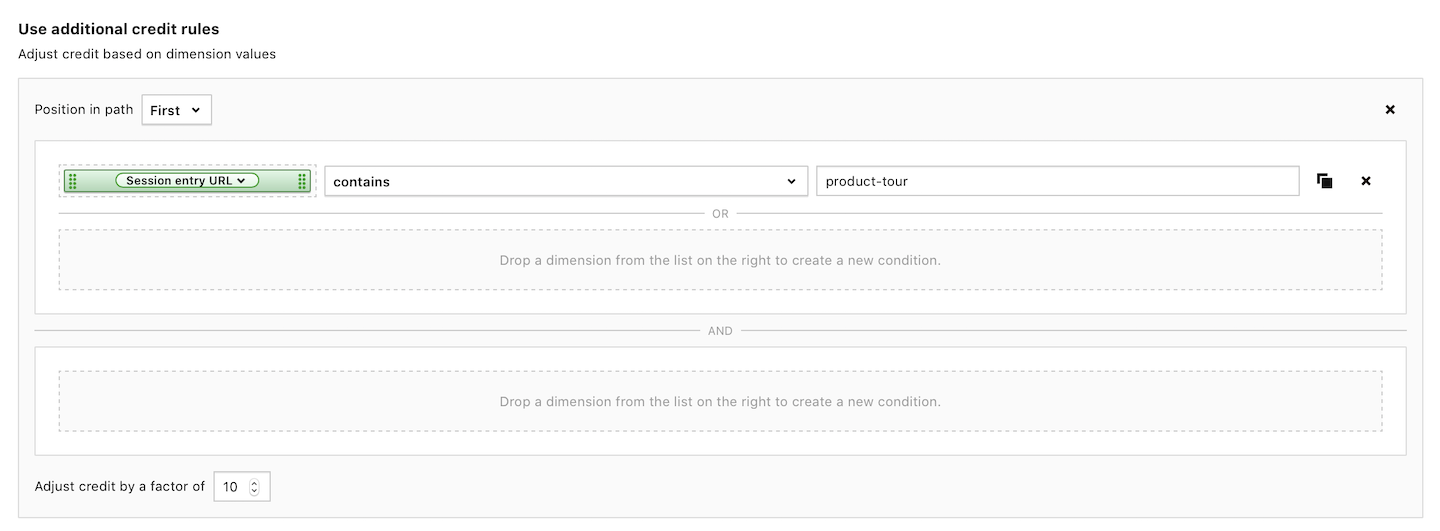
The other parameters of the model would still apply. So in a time-decay model, this touchpoint would get assigned credit based on when it appeared in the customer journey. That credit value would then be multiplied by 10 because of the additional credit rule. The same would be true for linear and position-based models. The base model assigns a value that is then modified by any additional credit rules that apply.
In Piwik PRO, these additional rules also can be used for first-click and last-click models, but they have a slightly different effect. If you have put a filter on which first- or last-click you want to get credit, then additional rules serve as backup in the case that the first filter excludes all touchpoints in a particular conversion path. In this way, the additional rules behave more like secondary filters for all-or-nothing models.
Attribution model attributes and customization options in Piwik PRO
| Credit for more than one touchpoint | Adjustable Parameters | Other options | |
|---|---|---|---|
| First-click |  | | filters |
| Last-click | | | filters |
| Linear |  | user engagement | additional rules |
| Position-based | | credit splits, user engagement | additional rules |
| Time-decay | | half life, user engagement | additional rules |
Read more about the technical details of setting up a custom model in our help center article.
Attribution model comparison in Piwik PRO
Now that you have standard and custom models to choose, it might seem like there is too much. Where to start? How to choose the right model?
Comparing models against each other is key. It’s also important to put those comparisons in the context of an experiment with a specific goal. The comparison part is easy:
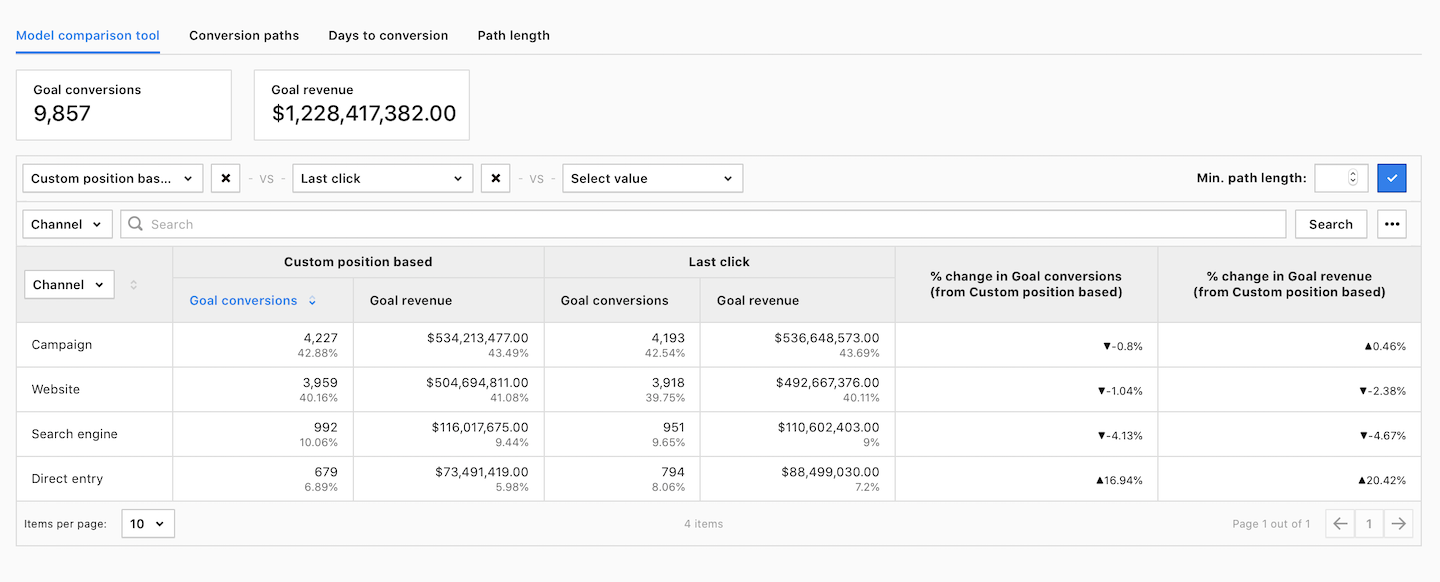
In Piwik PRO, you can quickly compare standard and custom models in any multi-channel attribution report.
Getting the context right can be harder. The questions we’re asking are hard ones. Which multi-channel attribution model is giving me the correct results? Which pages, ads, campaigns, etc. had the most influence in creating this conversion?
To slowly work towards these answers, we need to conduct lots of experiments. Let’s say that one model shows that one Google Ads campaign got the most credit for one kind of conversion. Another model shows that one category of blog posts got the most credit. An experiment could be to do more or less of the Google Ads campaigns or the blog posts and see over time how that affects conversions.
COMPARISON
The comparison of 10 web and app analytics platforms
Learn the key differences between Piwik PRO Enterprise, Google Analytics 4, Matomo Cloud, Adobe Analytics, AT Internet, Countly Enterprise, Mixpanel Enterprise, Amplitude Enterprise, Snowplow Enterprise, and Heap Premier.
To be clear, this can be a long process. You need to do your best to isolate variables and test the inputs into any conversion – one at a time. Unfortunately, even experienced analytics experts such as Avinash Kaushik, who we discussed in an earlier section, have found that there is no faster way to get reliable answers to questions about attribution.
Read more about applying various attribution models in the Clearcode article: 7 multi-touch attribution models for conversion-driven marketers and the Piwik PRO help center article.
Custom channel grouping
Custom channel grouping lets you treat several traffic sources like a single channel for the purposes of attribution analysis.
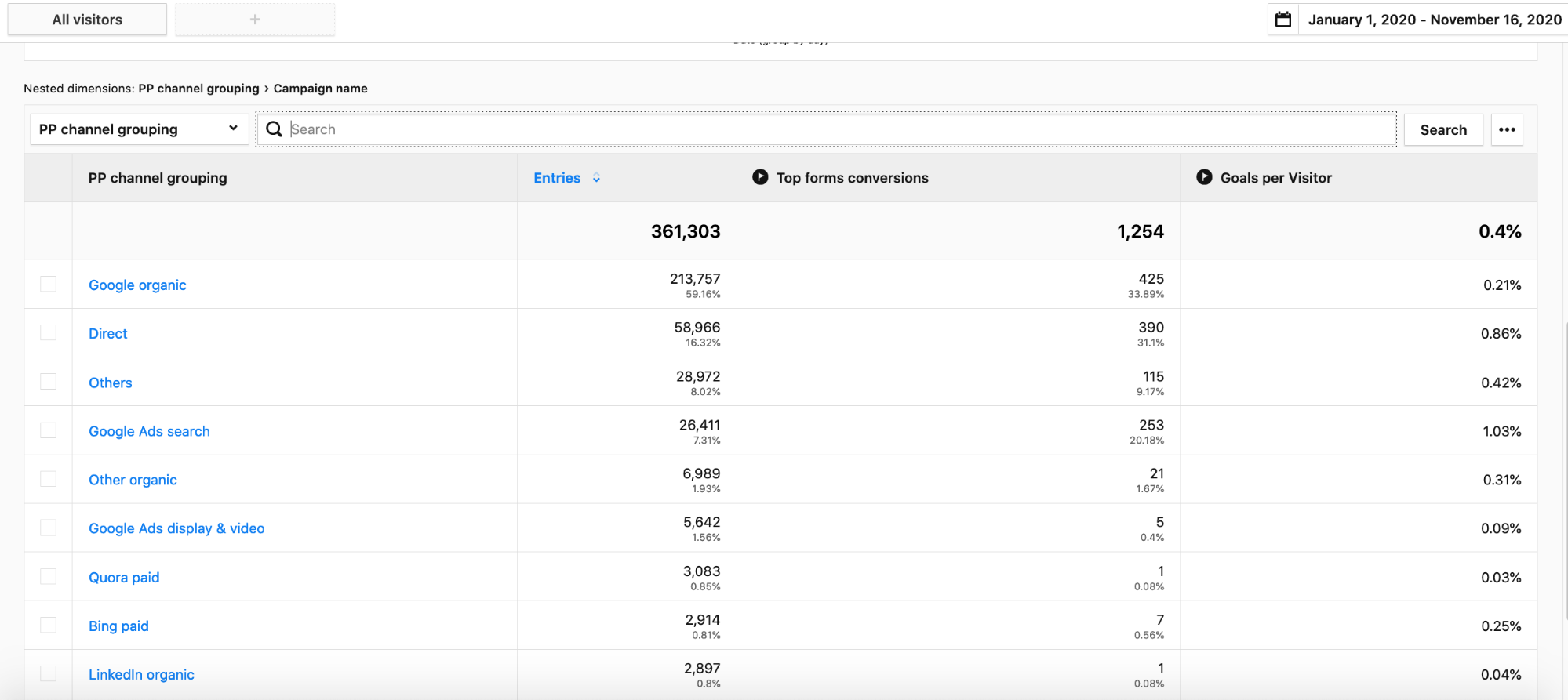
Take for example an analysis of paid versus organic traffic. You could put all paid sources in one channel group and all organic sources in another. You could do this manually, but by treating many channels as one, you can save time and make your reports easier to interpret.
API and raw data access
Built-in reports and custom report builders are great. But sometimes there are certain analyses that require something none of those reports can deliver. Maybe it’s a different way of filtering or presenting the data. Or maybe it involves combining data from another source. In any case, this is where access to a robust API and unlimited raw data is priceless.
Export data en masse for external analyses. Create custom integrations to other platforms that will automatically pull analytics data as needed. The options are endless when you have full access to, and control of, your analytics data.
A built-in consent manager
Many wouldn’t include a built-in consent manager as a part of an attribution toolbox, and yet it’s a crucial component. It will also only get more important as data privacy laws get tighter around the world.
To maximize data collection and the accuracy of your reports, you need a consent manager. Without one, you won’t be able to collect any personal data in many countries. There are many stand-alone options on the market. While they do a decent job, nothing is better than a consent manager that is designed to work specifically on the analytics platform you’re using. You won’t have to worry about losing data due to problems with a complex integration process.
A hands-on example of a multi-channel attribution analysis
We now have a full conversion attribution toolbox. It might even be a little too full. To make it clearer how these tools work together, let’s go through an example.
Let’s say we work at a bank and want to better understand what marketing channels are most efficient at sending us traffic that converts into clients who take out a certain kind of loan.
To start any attribution analysis, we need a hypothesis. Then we need one or more models that we’ll use to accept or reject that hypothesis.
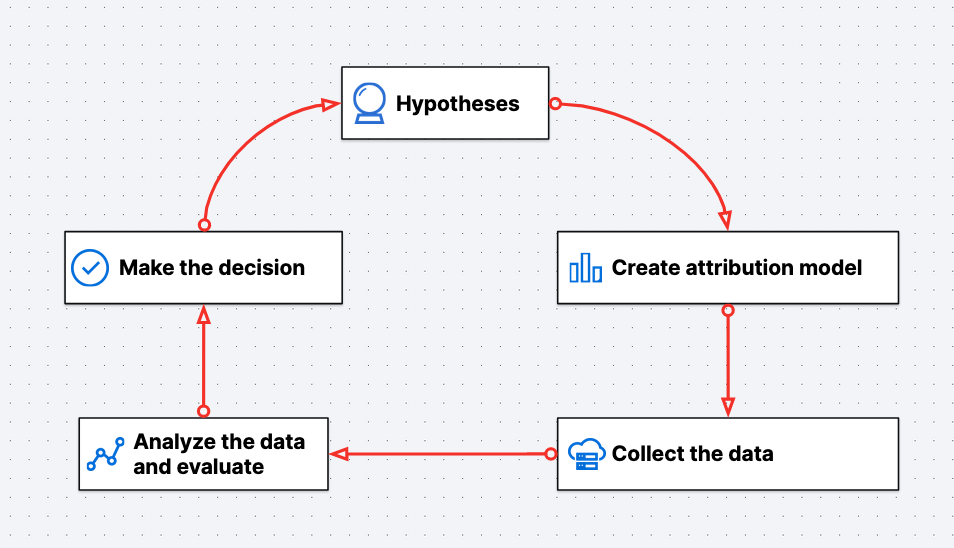
We also need to decide on what time period we’ll look at and which channels we’ll take into account.
For this example, we’ll set up a group of channels, “PP Bank Marketing Channels”, and look at one full month. Our hypothesis is that two affiliate marketing campaigns are working well and are worth continuing.
It’s also worth noting that this analysis will definitely require personal data. Since we’re working with banking information, the data could even be considered sensitive. Having a good way to get consent before collecting any of that data is a crucial part of setting up the analysis.
If you’d like to get more information about analytics in banking and consent requirements, visit our blog:
We can already start to dig into conversions a little bit by looking at days to conversion and path length reports.
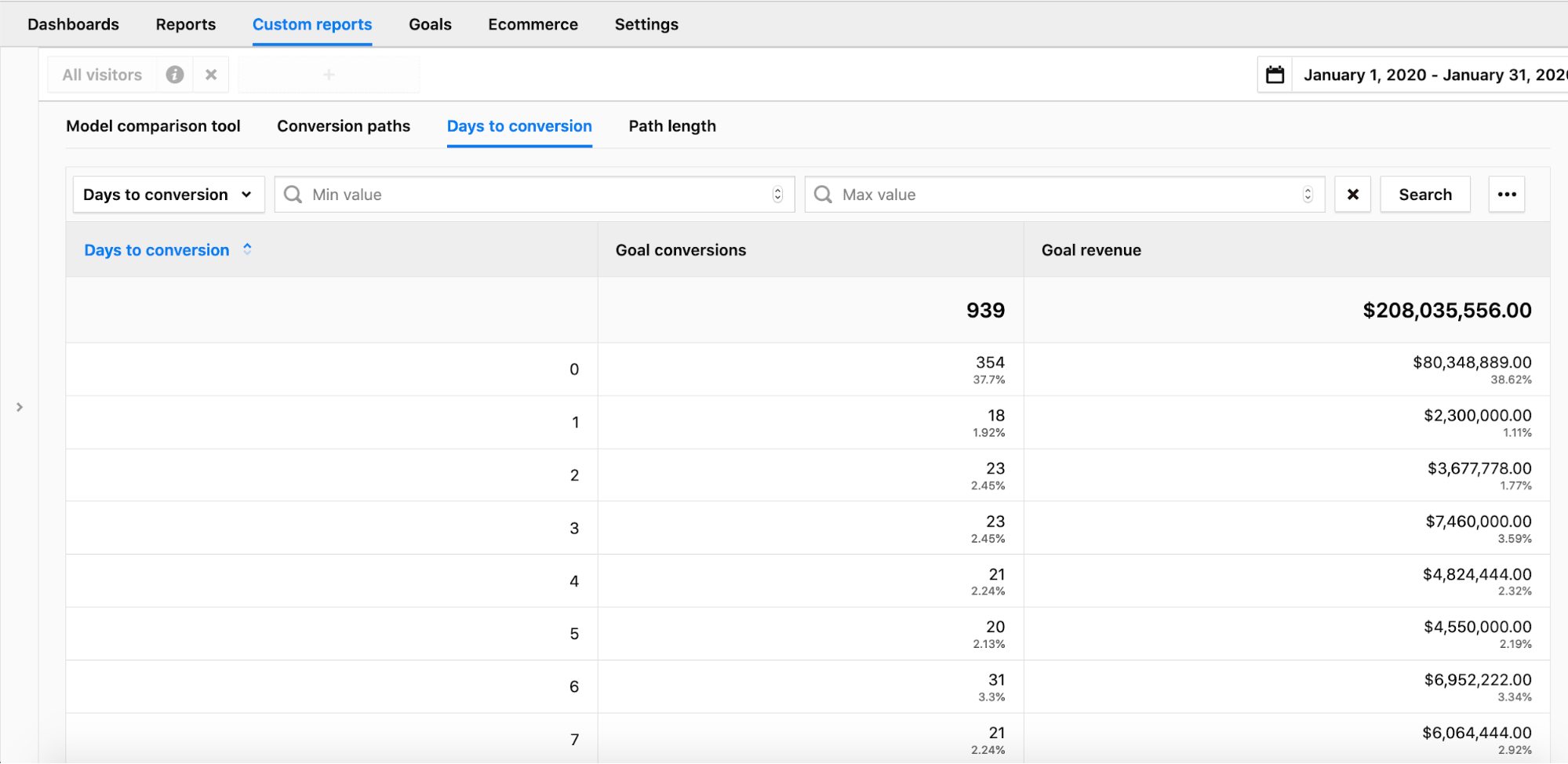
We can also look at a conversion path report to see what touchpoints visitors interact with along the way and in what sequence.
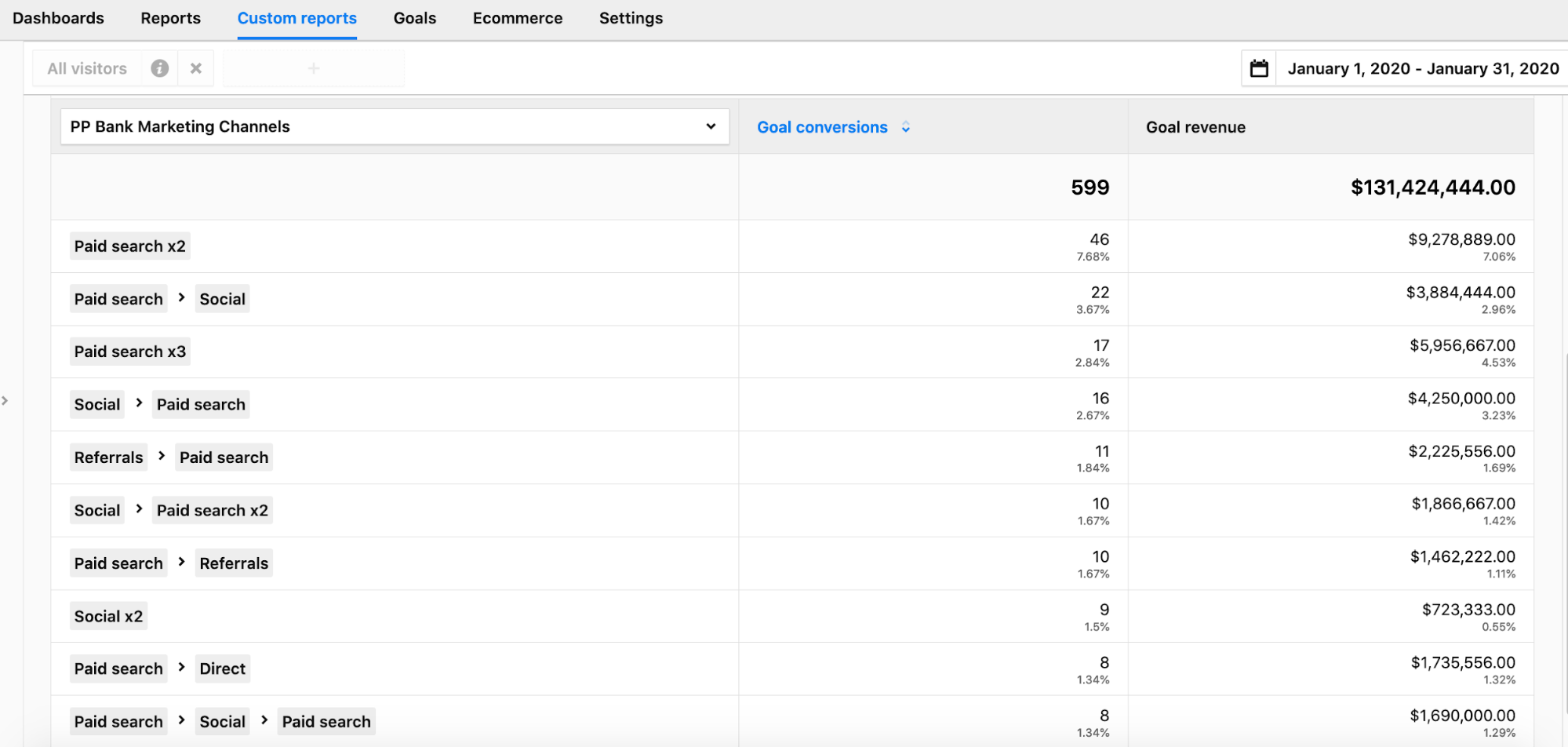
These summary reports are good to get a feel for the customer journey. Eventually though, we need to start creating models that will assign credit to each channel. This will allow us to prove or disprove the hypothesis that our two affiliate campaigns are working.
We’ll use three models to check: a last-click model, a first-click model and custom position-based model. In the custom model, we’ll give more, but not all, credit to the first interaction.
Then we can take a look at the number and value of conversions produced by each channel according to the models.
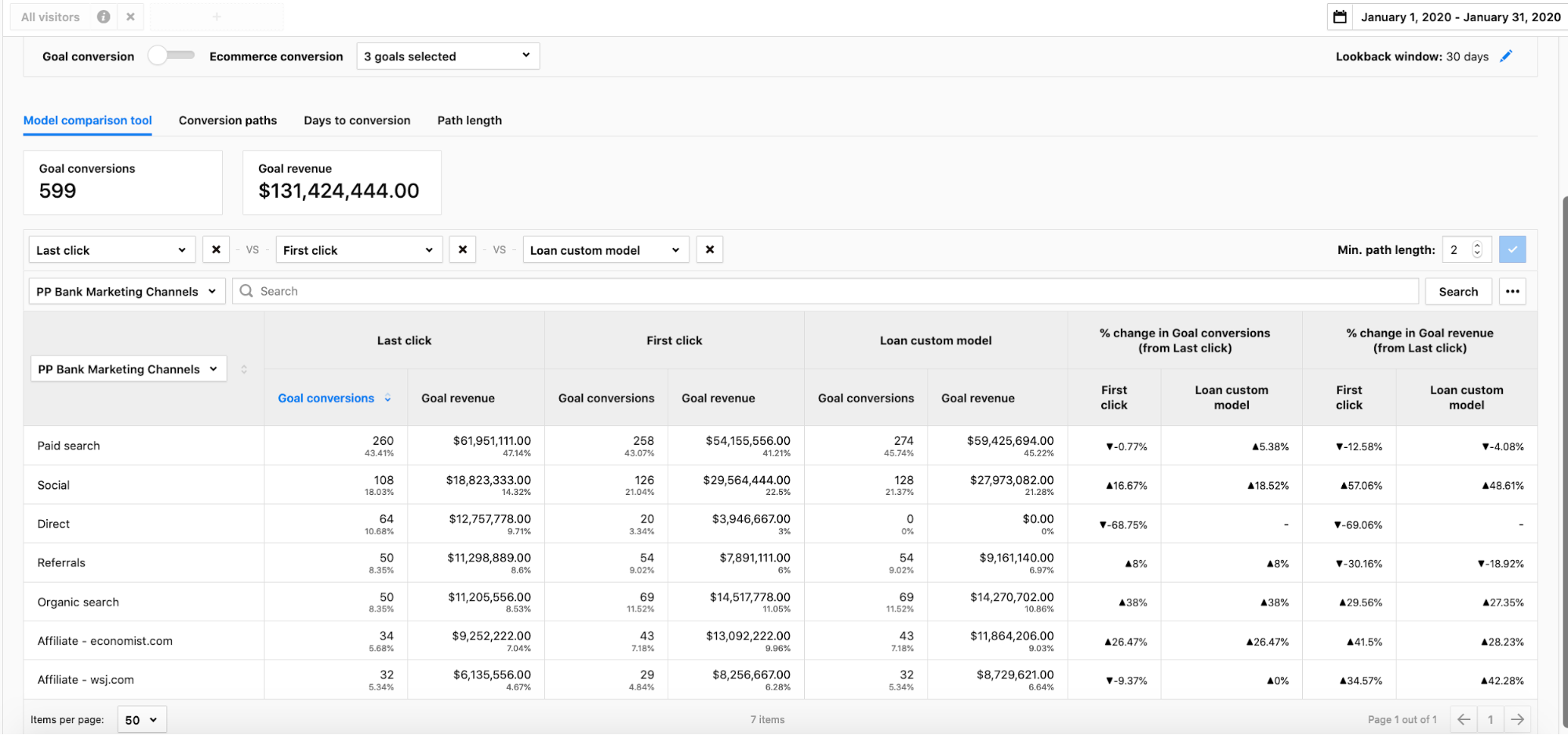
We can now check the costs for running those affiliate campaigns and see if they have positive ROI and are worth continuing. But that wouldn’t be the end of our analysis. It would be just the start.
Now we have a performance baseline. We can track metrics, including these attribution reports, over time and see what has positive and negative effects. We could also take an active approach and make changes based on our own research or on market trends. We can then monitor the effects and compare back to that baseline we established.
For example, we could double the spending on a paid campaign and see if we get twice the revenue. That’s likely not to be the case, so we’d have to check ROI like we did for the affiliate campaigns.
Use multi-channel conversion attribution to “Be less wrong over time”
As Avinash Kaushik explains well, all attribution models have their pros and cons. So it’s not about picking the perfect model the first time. In his words, success comes “from your ability to take that rough output, make changes, observe the impact (over weeks, or months if you are small-sized), identify insights and be less wrong over time.”
In a way, this should come as a relief. You don’t have to get it 100% right the first time! What’s more, you’ll probably never be 100% right, at least not when it comes to conversion attribution.
We hope this article has encouraged you to try out (or come back to) multi-channel attribution analyses.
Read other related articles follow the links:
>> How funnel reports can improve conversion rates and user experience
(opens in a new tab)”>>>> How funnel reports can improve conversion rates and user experience
>> Why first-party data is the most valuable to marketers
(opens in a new tab)”>>>> Why first-party data is the most valuable to marketers
The post How multi-channel attribution works in Piwik PRO appeared first on Piwik PRO.
]]>The post Tracking Marketing and SEO Campaign Performance with Piwik PRO appeared first on Piwik PRO.
]]>You’re falling short of your potential any time you start a marketing project without the ability to track its effectiveness and optimize it over time.
How can you keep an eye on your campaigns and see what’s working or underperforming, and where improvements can be made? In this post we’ll talk about how using custom reports from your analytics data helps you stay vigilant and ensures you’re spending money wisely.
First let’s take a look at how you can monitor your search engine optimization (SEO) results with a variety of reports.
Tracking SEO and content campaign performance
When you apply SEO to your content it helps drive organic traffic to your website. Paid campaigns, on the other hand, bring in non-organic visitors and need to be monitored to ensure you’re getting your money’s worth on ad spend.
Optimizing your content to show up in SERP is an accomplishment in itself, but the question remains: how can I tell if it’s achieving the goals I’ve set? SEO campaigns require constant strategizing, analysis, and tweaking. It doesn’t stop when you get your content in Google’s Top 10.
By setting up custom reports in your analytics you can track your SEO and campaign efforts as they relate to:
- Performance in search engines
- Traffic driven to your website
- Resulting goal conversions
- Keyword metrics (with Google search console integration)
Monitoring your website’s traffic
Increasing entries to your website is a fundamental goal of SEO and your campaigns. You can hit your marks by setting up reports to monitor traffic at all times, keeping you always aware.
You can create a report like the one below to display site traffic on a daily basis. This is useful for gaining instant insights and taking fast action. Unusual spikes or drops, for example, can result from bugs on the website or changes made to the code in a recent update. Keeping an eye on these numbers every day allows you to quickly find such issues and get ahead of them.
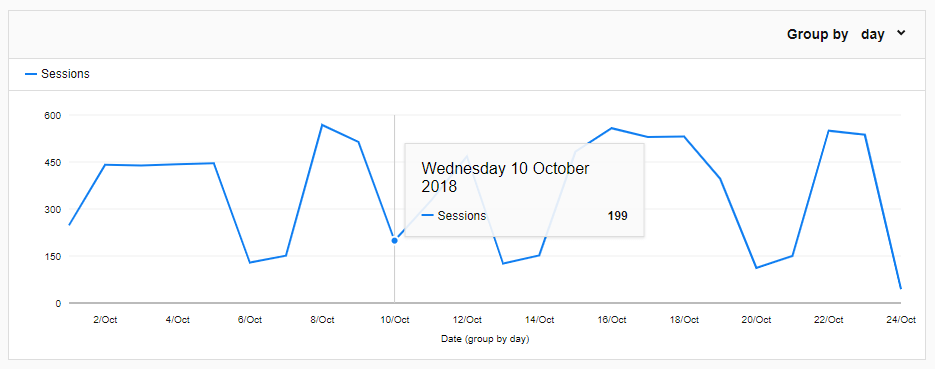
You can see in this report a normal fluctuation in visitors for B2B sites: peaks during business days, craters on the weekend. Looking at this report it’s easy to see that on Wednesday, October 10, there was an unexpected drop in traffic.
Configuring this report is a straightforward task – just choose a line chart report, select “date” as the dimension and “session” as your metric.
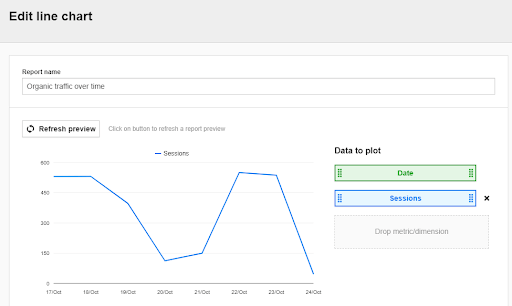
You can apply a filter that will only show you organic search engine traffic data:

This report is great for getting a quick overview of general search engine traffic and the effectiveness of your campaigns.
Now let’s see how effectively your content is performing, both individually elements and as a whole.
Tracking your content’s effectiveness
The primary function of SEO is to increase your visibility in search results and lead people to your website. Analyzing search engines as a traffic source can provide many of the pieces needed to create an image of customer behavior and intent.
Knowing your overall traffic and which particular pages are being entered will help you with creating new content and optimizing what already exists.
For example, let’s say you’ve got a high-quality blog post, but you’re just not seeing the numbers you expected. Now that you’ve spotted the issue, you can investigate and find ways to optimize that page from an SEO or content perspective to get the traffic you want.
Reports for content effectiveness include:
- Traffic generated by each search engine
- Top performing pages
- Entry pages
Search engine analysis
In the case of SEO you want to monitor traffic that comes from search engines exclusively. How can you tell which engines are contributing the most traffic, and, more granularly, which pages those users are entering from?
You can accomplish this by creating a report with nested tables. The first gives you an overview of search engine traffic. The second drills down into each source you can see data on individual entry pages from the given source.
Going down to each search engine, we can see entry pages by their URL. You connect the dots of your user’s journey and discover which keywords led them to your page.
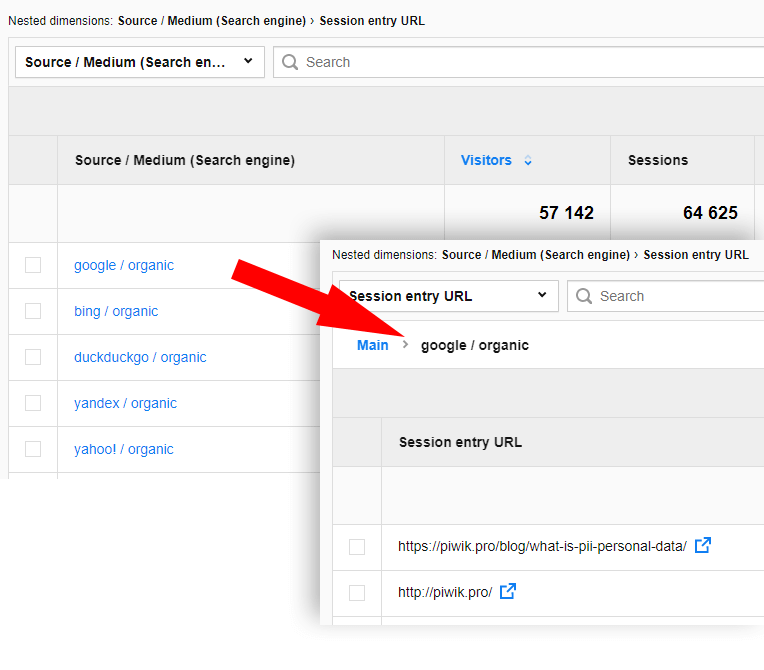
Organic traffic: Top performing pages
Here’s a solution for monitoring organic traffic metrics for your pages. It’s useful to have all this information about individual page performance in one place. Entries and time on page indicate how engaging your content is, and bounce rate shows if users are going deeper into your site after this page or leaving.
This report below not only shows your most popular pages, but also how visitors are engaging with every page of your website.
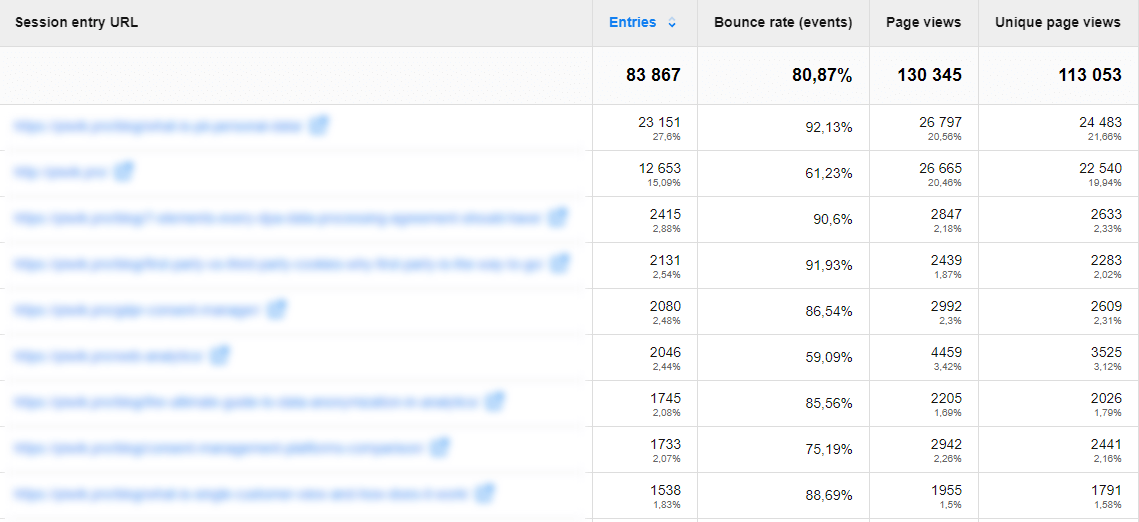
Google Search Console integration
Google Search Console is an effective tool for getting information about your site’s visibility and traffic. It can be used for learning more about your website’s relationship with Google and its search engine results.
Integration with GSC connects search engine visibility data with your metrics from Piwik PRO. This shows how many people see your site in Google’s results and sessions that come from searches.
For example, the report below displays Google impressions and page sessions. This gives you an understanding of how visible your pages are versus how often people choose them from the SERP.
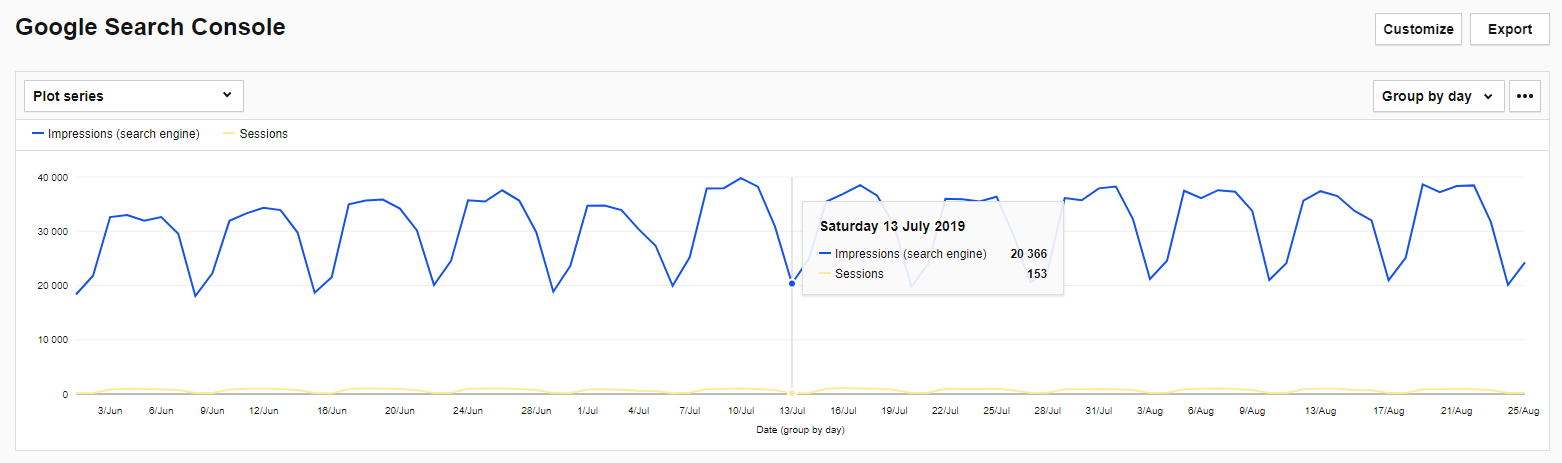
You will also find useful data about keywords that drive traffic to your website while eliminating the problem of “No data” appearing as the “keyword” in custom reports.
Keyword reports in the integrated Google Search Console shows us keywords with metrics like:
- Impressions – how many times your website is displayed in SERP using a keyword
- Clicks – how many times your result in SERP gets clicked using particular keyword
- CTR – percentage of clicks to impressions
- Average position – the average ranking of your website for each keyword
Tracking paid campaigns
Now with SEO monitoring covered let’s move to non-organic efforts. When it comes to paid campaigns you run the risk of wasting money if you aren’t aware of their performance. Running a tight ship and making sure you’re spending budget strategically requires real-time feedback that provides clear results and insights.
COMPARISON
The comparison of 10 web and app analytics platforms
Learn the key differences between Piwik PRO Enterprise, Google Analytics 4, Matomo Cloud, Adobe Analytics, AT Internet, Countly Enterprise, Mixpanel Enterprise, Amplitude Enterprise, Snowplow Enterprise, and Heap Premier.
Campaign URL tagging
Before you can do anything with your analytics data you need to make sure you’ve tagged everything correctly. Proper URL tagging is a crucial step in tracking your marketing efforts. Tags allow you to track and differentiate incoming users. For example, when running a paid campaign on Facebook, if you use an untagged URL your paid and organic traffic will all show up together as Facebook referral.
Properly tagging campaign URLs is a sure fire way to avoid messy reports and keep incoming visitors organized. Once you have your links properly tagged you can discover a lot about your campaigns.

The easiest way to tag URLs properly is by using a builder tool like this one:
Source/Medium and individual campaign performance reporting
Let’s start with a report that handles all your source/mediums and the campaigns within them. Checking the overview of all your sources/mediums and also drilling down to individual campaign performance requires an in-depth, all-in-one report. One that shows you how much traffic sources like Google Ads, Facebook Ads, Hubspot, etc. are pulling in, and to get granular and see the results for every campaign.
Let’s take a look at how to configure this report in Piwik PRO:
After choosing the explorer report you use two dimensions: “Source/Medium” and “Campaign Name”. Choosing two dimensions creates a nested table that lets you zoom in from high altitude and see individual campaigns.
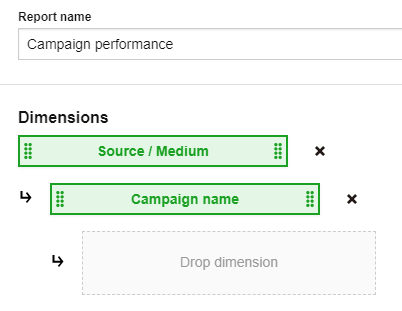
The metrics you choose are specific and strategic because they provide insights into campaign performance.

Pick metrics that best align with your goals, here’s why we chose these:
- Entries – How many users came to your website via this campaign. Traffic is a fundamental indicator of success.
- Average time on page – How long people spend on a page can tell you how engaging the content is. You’ll be able to analyze pages with high time on page and try to duplicate that success. On the other hand, underperforming pages can be reviewed for potential improvements.
- Bounce rate – Percentage of immediate exits from all visits.
- Goal conversion – Goals you set up beforehand, these are actions you want visitors to take when they visit your site. Some examples are form submission, button click, purchase completed, certain time on page, etc.
- Goal conversion rate – The number of conversions divided by the number of visitors.
5 conversations / 250 entries = .025 (2.5%)
After applying a filter that only shows tagged campaigns, you get an overview of the aggregated data.
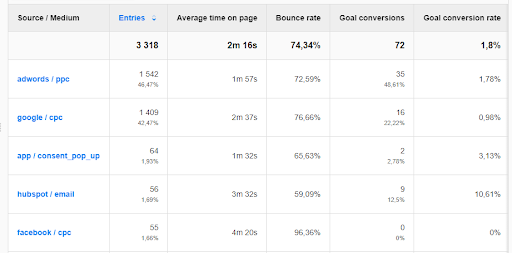
Selecting an explorer report and using two dimensions creates a nested table. You can navigate within each source and get down to the individual campaigns:
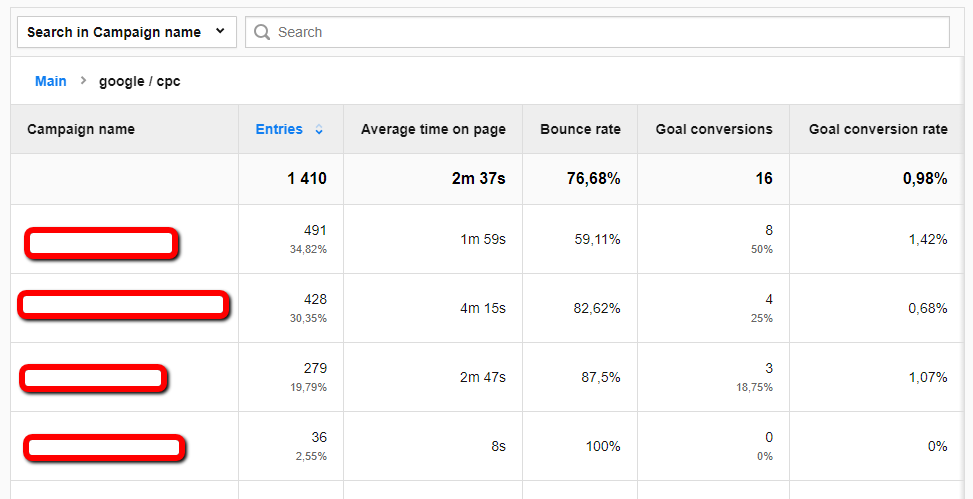
This report works well not only for monitoring the channels you’re active on but also specific campaigns. You’ll be able to spot trends and tell which campaigns and sources work best with your efforts.
Monitor goal conversions
Tracking goal conversions is an important aspect of your web analytics efforts, and you may find yourself wanting to do this on a daily basis. For example, you have high ad spend on a new channel you’ve never used and you want to see positive return ASAP. You’ll need a marketing performance report that shows and tracks goal conversions day by day.
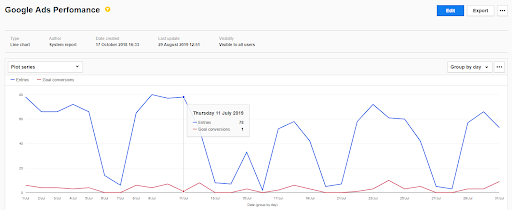
You need to filter the data to see only campaign-specific information. In this example we’ll look at how Google Ads is performing as a source.
Setting up filters:
These filters only show the information using the adwords / cpc and google / ppc tags that you set up beforehand when rolling out the campaigns. You can see how the URL tagging we detailed earlier has come full circle and is critical in implementing this report.
Conclusion
Don’t blindly implement campaigns without knowing if they’re working or not. You can see the tools are available to monitor your SEO and marketing efforts and gain valuable insights about what’s working. The more you know, the more you can optimize over time and maximize your data applicability. Remember that analytics solutions reach their full potential when aligned with the specific goals of the company in hand. For more information about tracking, better understanding, and getting the most out of your marketing reach out to us.
The post Tracking Marketing and SEO Campaign Performance with Piwik PRO appeared first on Piwik PRO.
]]>The post A complete guide to campaign tracking in your web analytics platform appeared first on Piwik PRO.
]]>That’s exactly where your web analytics can lend you a hand. Campaign tracking is available in all modern platforms, including Google Analytics and Piwik PRO. It is an important part of the referrers reports that can help you better assess the efficiency of your channels. Here’s how to make the most of it.
Why should I tag links?
The shortest answer is that URL tagging can help your analytics software assess exactly how your ad or marketing initiatives are performing. If you spend a lot of time publishing new content on social media, then you definitely want to track its impact on your website or business.
By taking a strategic approach to tagging your links, you’ll save a lot of time and hassle in the future. Campaign tracking is fairly easy to implement. It can provide you with answers to the following questions:
- Where is my traffic coming from?
- Why is it coming to me?
- Which channels convert best or bring the most revenue?
- Is my campaign budgeting bringing the right results, or should optimize my spending?
- Am I allocating my time and efforts to the right channels, or should I change my strategy?If you want to tap into this knowledge, you need to deploy tags to your links.
First, you have to choose the right parameters.
Free Comparison of 5 Leading Web Analytics Vendors
Compare 40 Variables of 5 Leading Enterprise-Ready Web Analytics Vendors:
What campaign tracking parameters can I choose from?
Both Google Analytics and Piwik PRO let you choose from different types of parameters that can help you tag your links in the most meaningful way possible.
As they are different platforms, they have their own sets of parameters
- Google Analytics uses UTM
- Piwik PRO deploys PK
Despite having different names, UTM and PK work similarly, letting you specify campaign, source, medium, keyword (term), content and campaign ID.
Remember that if you use Google Analytics, you need to go for UTM. Piwik PRO recognizes its own pk_* parameters and Google utm_* parameters.
That said, having so many options doesn’t mean that you have to use them all. Quite the contrary, it’s best to decide on the 2-3 most important parameters that will tell you exactly what you need.
Campaign: pk_campaign / utm_campaign
This obligatory parameter should include the name of the marketing campaign that your link is related to. The name should be descriptive and easy to understand by everyone who views the report. For instance, Facebook_Dec_2021 tells you immediately that you’re looking at a campaign related to social media taking place in the last month of 2021.
Source: pk_source / utm_source
This is usually the name of the website sending you traffic, for example: Facebook, Techcrunch, etc. If the traffic comes from a different source, you should use the most descriptive name for this particular referrer, e.g. Newsletter, Google, Bing, Yahoo or Newsletter_2.
Medium: pk_medium / utm_medium
This parameter describes the medium used to send traffic to your website. For example, for the traffic source ‘Facebook’, we can use some of the following: cpc, banner, sponsored_post, sidebar_ad etc. For the traffic source “Google” the medium could be cpc or organic.
Keyword: pk_keyword / utm_term
This optional parameter describes the search term used to drive traffic to your website. It is often used with the tag source=google and medium=cpc for Google Ads campaigns.
Content: pk_content / utm_content
This parameter is used to differentiate the medium for a particular campaign. It may be useful, for instance, if within one campaign we are using different banner ads or if we are sending two kinds of emails: an HTML one and a plain text one. For instance, the content parameter could take the following values: banner_1, html_copy, text_copy.
Campaign ID: pk_cid / utm_id
This is one of the least-used parameters. Its goal is to differentiate campaigns by ID number. If you happen to simultaneously run several campaigns which are very similar in many ways, you can differentiate them using the campaign ID parameter.
Choose the right URL builder for your analytics platform
Most people use URL builders to tag their links. These tools let you insert the values for each of those parameters, and then they do the magic of stitching them together into a nice and long URL.
Depending on the web analytics platform you use, choose one of the following URL builders:
- Piwik PRO > choose Piwik PRO URL Builder Tool
- Google Analytics > go for Campaign URL Builder
And if you manage a lot of social media links, tools like Hootsuite or Buffer include the option to add custom URL parameters to all of your links.
Analytics campaign tracking: Beyond a URL builder
Of course, having such a long link can seem daunting at first. If you use Twitter, you’d shrug off the idea of using all your precious 140 characters just to insert a link, right?
Luckily there are URL shorteners, such as bit.ly, ow.ly, tiny.url and plenty more tools that let you effortlessly shorten your long links into far more manageable strings of 22 characters. Isn’t that short and sweet?
So let’s say we have a very long link, like this one:
https://www.example.com/?utm_source=post&utm_campaign=test1&utm_medium=link&utm_content=textlinkOnce shortened, you’ll get a link in this form: http://bit.ly/2i1L0Td.
If you don’t like the random letters and numbers approach, you can use tools that let you create and share short links with a custom domain name for personal or corporate branding.
Best practices for analytics campaign tracking
So at this moment you already have identified your parameters and got your URL Builder opened. Before getting your hands dirty with tagging, it’s important to keep these few simple rules in mind:
Use a naming system that is clear and easy to understand
Use meaningful names for your campaigns, and keep the rest of your team updated on the system you have in place. It’s essential that everyone can understand what data is provided in your campaign reports. Having a unified naming convention or policy can be helpful too. If all of you agree on and consistently implement naming conventions for tags and campaigns, you’ll never have to worry about your analytics data being skewed.
A word of caution: your readers will see your tags in the URL bar of their browsers, so be easy on them. Avoid words that may cause a confusion.
Tag every URL you can control that comes to your site
Each time you ask people to click a link, you should be setting up a PK / UTM tag. This includes all your email links, ad links, press articles, blog posts, etc. In this way, you can know exactly which of your activities and sources drive the most traffic.
Keep an eye on case-sensitivity
Some say this is the worst part of campaign tracking. Remember that the tag pk_source=adwords
will be identified as a different tag from, let’s say, pk_source=Adwords. Our tip is to decide on lower-case, and stop worrying about it once and for all.
Use only the parameters that you really need
There are different pk parameters, but you generally need to use only pk_source / utm_source, pk_medium / utm_medium, and pk_campaign / utm_campaign. Avoid squeezing too many items into your URL.
Store all your tagged links in one place
Managing tagged links can be challenging, especially when you have to generate, build and shorten multiple tracking URLs at the same time. If you and your team deal with multiple content and social media campaigns on a daily basis, having a shared file will support your productivity. A simple spreadsheet with tagged links to all your posts or publications can be a great start.
Things to avoid in campaign tracking
There are some cases in which it’s better to refrain from tagging your URLs:
Internal links
You should never use PK / UTM parameters for internal links on your website.
Let’s imagine you publish a new post on your company’s blog, then share it on social media, and then one of your followers clicks on the URL and arrives at your blog. When they are done reading, they may use one of the links and go to your home page. If this link uses source=blog you will lose the precious piece of information telling you that the user came from social media. Instead, your report will assign that visit to the blog.
Organic / unpaid search
Piwik PRO and other analytics tools let you know if a visitor comes to your website via organic search. It could tell you which keywords were used to find your website (even though Google itself does not send the keywords anymore). However, PK parameters override this information, so it is better if you don’t tag your SEO campaigns.
Natural referrers
As your brand awareness increases, there will be more and more blogs and websites writing about your company. If this is the case, then you’re doing a great job! However, your referrers might link to your website as a part of a blog post. This is fine if the links they use to direct visitors to your site don’t have PK or UTM tracking, as the referrer information is actually quite useful and contains the URL of the page that brought you the traffic. Such visits will be part of the referral medium. It is a measurement of the overall awareness of our website.
Where can I find my campaign tracking info?
If you implement tagged links in the right way and steer away from the no-nos, then your analytics platform will sort your incoming traffic accordingly.
If you use Google Analytics then the UTM parameters will form a part of your Acquisitions report, so pay attention to the following places:
- Acquisition > All Traffic > Source/Medium
- Acquisition > Campaigns > All Campaign
In Piwik PRO your campaign data will be available in the Campaigns report.
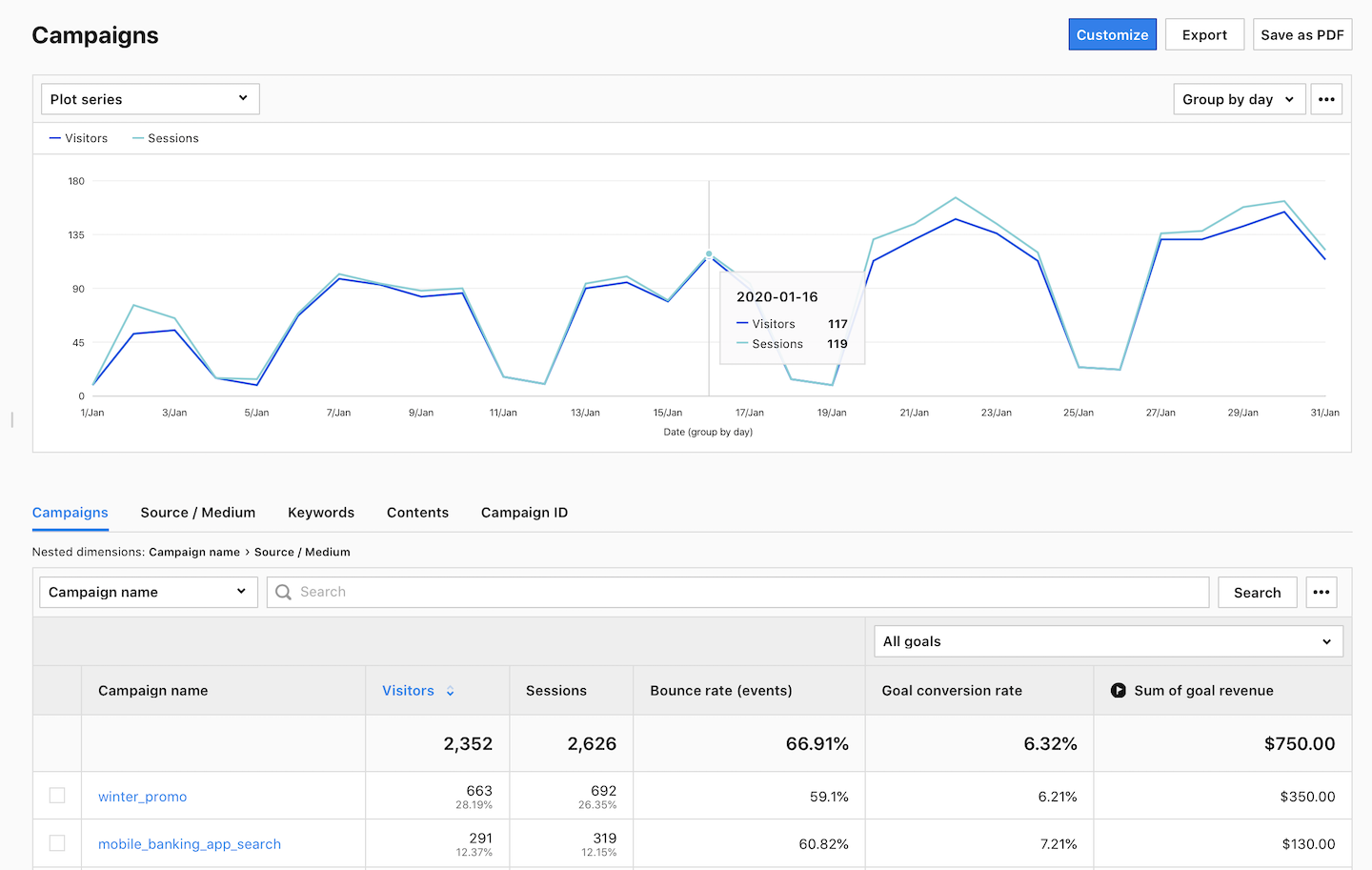
If you use social media shorteners such as Ow.ly or Bit.ly, you can track your links performance in related platforms.
Conclusion
When done right, campaign tracking can be a truly insightful element of your referrals reports. Having a good system of URL tags in place can give you valuable insights into your campaign’s performance. With precise information on where your traffic comes from, you can then segment your visitors and get even more actionable insights.
Make sure you stick to the dos and don’ts outlined above and you’ll be on the safe side.
Free Comparison of 5 Leading Web Analytics Vendors
Compare 40 Variables of 5 Leading Enterprise-Ready Web Analytics Vendors:
The post A complete guide to campaign tracking in your web analytics platform appeared first on Piwik PRO.
]]>